

Cashier shifts
How to open a shift on a cash register, register the expenses paid out of it, and close it against the real count — including what the two closing figures actually mean.
A cashier shift is the stretch of time one person is responsible for one cash register. It records what the drawer started with, what was sold while it was open, what was paid out of it, and what was actually counted at the end. It exists so the money in the drawer can be reconciled against the sales the system registered, and so a difference has a name, a register and a person attached to it.
Cashier shifts are a module. Activate Corte de Caja from your team's add-ons and what follows appears; while it is off, none of it does.
Cash registers
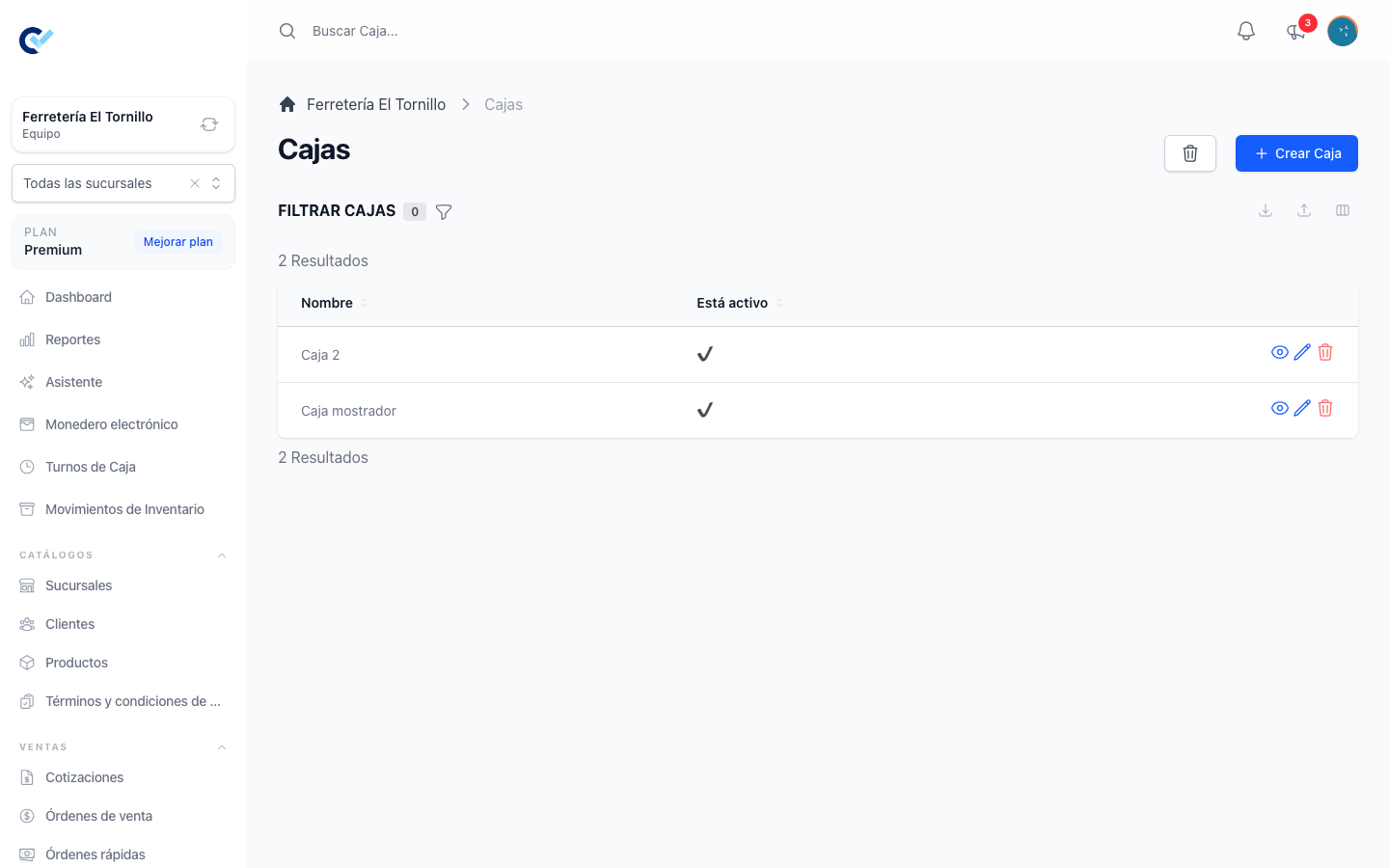
A shift always belongs to a cash register. Registers are managed under Sells → Cashboxes in the menu: each one has a name and an active switch. Give them the names the business actually uses — a counter, a till, a delivery bag — since that name is what the shift and its report will carry.
A register can hold only one open shift at a time. A register that is inactive, or that already has an open shift, is not offered when a new shift is opened.
With Sucursales on, each register belongs to a branch. A new register is filed to the branch you are standing in, the list shows only that branch's registers, and creating one is not offered on All Branches. See work with branches.
Opening a shift
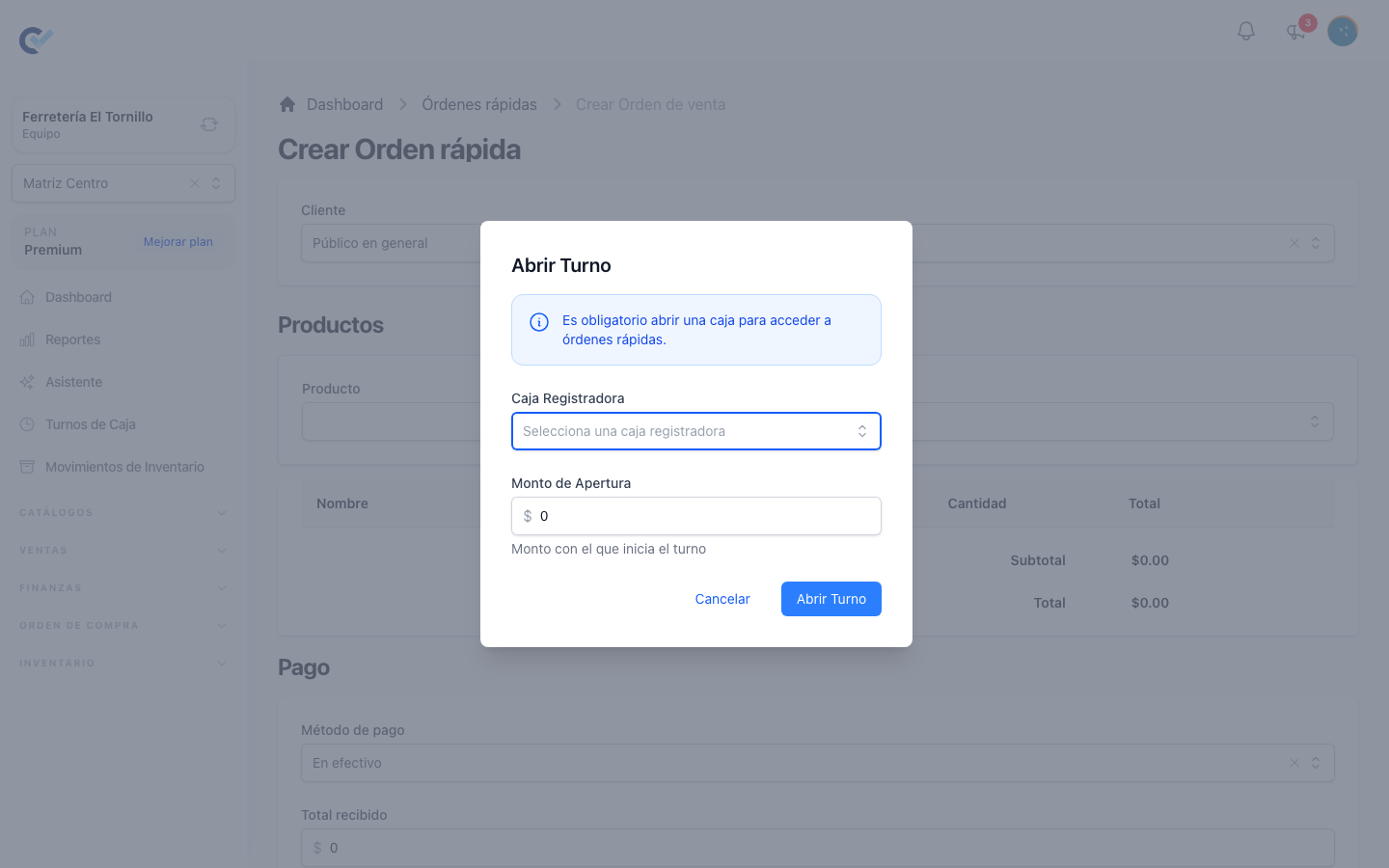
Shifts are opened from the fast order screen. Opening Fast Orders with no shift of your own open brings up Open Shift straight away, and it is not optional: the screen says so — It is mandatory to open a cash register to access fast orders. — and cancelling returns to the dashboard instead of letting the sale through.
The form asks for two things:
- Cash Register — the register this shift runs on, from those free to take one. With branches on, only the registers of the branch you are standing in are offered.
- Opening Amount — the money in the drawer at the start.
Picking a register fills the opening amount with the last amount counted when that register was closed, so the float carries over on its own. Cash put in or taken out of that register from Movimientos since it was closed is added or subtracted too — see money that is not a sale. A register that never had a shift starts from those movements alone, or from zero. The amount can still be overwritten.
With branches on, a shift cannot be opened on All Branches: the screen says Select a branch before opening a shift: each cash register belongs to a branch. Pick a branch in the selector and open it again.
The shift is stamped with who opened it and when, and belongs to its register's branch. Fast orders finished while it is open are attached to it, which is what the closing report later reads.
While the shift is open
With a shift open, the fast order screen carries a header with the shift's controls and a Current Cash Balance — the opening amount, plus the cash actually collected in this shift, minus the expenses registered against it. It is the cash that should be in the drawer right now.
Registering an expense
Money that leaves the drawer during the shift — a delivery, a repair, petty cash — is registered with Register Expense. It asks for a concept, an amount and an optional note: the point is that the drawer comes up short for a reason that was written down. The expense is always cash, since it left the drawer.
Each expense also appears in Movimientos, as a Cashier shift expense with the register it came out of, and it counts in the reports of the shift's branch like any other payment.
While the shift is open, its expenses can be added, edited or deleted only by the person who opened it, or by someone with the team owner role. From the shift status that is enough; from Movimientos it also takes permission to edit or delete payments. Anyone else sees them but cannot change them.
Checking where the shift stands
View Shift Status opens a summary at any time, without closing anything: Opening Amount, Total Sales, Total Expenses and Expected Cash, a breakdown of Sales by Payment Method, and two tabs — Sales, listing every order collected in the shift with its client, methods and total, and Expenses, listing every payout with its concept, note, amount and author — the person who opened the shift.
Closing the shift
Close Shift shows the same summary, then asks for the one number the system cannot know: the Real Closing Amount, the cash actually counted in the drawer. As soon as it is typed, a Difference appears — green when it matches, a surplus when there is more than expected, a shortage when there is less. Notes is there for whatever explains it.
Closing stamps the shift closed and stores the count, the difference, and a flag for any difference other than zero, so a shift that did not balance can be found later. The difference is worked out to the cent: a count equal to the Expected Cash is a clean close, with no difference stored and no flag, and a difference of one cent either way is recorded like any other.
After the shift is closed
The money the close counted as cash cannot change any more: the shift's expenses, and the cash payments and refunds of sales registered while it was open. Nobody can edit or delete them — not the person who ran it, not the team owner — and the buttons are gone from the shift status, from Movimientos and from the sell order. This also holds for shifts closed before this rule arrived. If something was captured wrong, register a new movement that corrects it.
Card and transfer payments of the same shift can still be edited, but their method cannot be changed to or from cash, because that would change what the drawer held. A refund registered after the shift was closed does not belong to it and stays editable.
The two figures, and why they differ
This is the part worth reading twice, because the closing screen carries two numbers that look like they should agree and are not built the same way.
Expected Cash is a drawer figure. It counts only what should physically be in the register:
Opening Amount + the cash collected in this shift − the expenses registered in it
The difference is measured against this one, and only this one:
Difference = Real Closing Amount − Expected Cash
A positive difference is a surplus, a negative one is a shortage. Money collected by card or by transfer never touched the drawer, so it is not in either side of that subtraction and cannot cause a difference.
System Closing Amount is the other figure, the one stored on the shift record and read later in the shift history. It is a takings figure, not a drawer figure:
Opening Amount + the total of every order collected in this shift, whatever it was paid with − the expenses registered in it
Because it adds card, transfer and every other method alongside cash, it is normally higher than what is in the drawer, and it is meant to be. It is what the shift moved, not what the shift should hold.
So: a shift that opened with $1,000, sold $4,000 in cash and $6,000 on cards, and paid out $200 in expenses, expects $4,800 in the drawer and stores a system closing amount of $10,800. Counting $4,800 is a clean close. Comparing the count against $10,800 is the mistake this section exists to prevent — never reconcile the drawer against the system closing amount.
Looking at past shifts
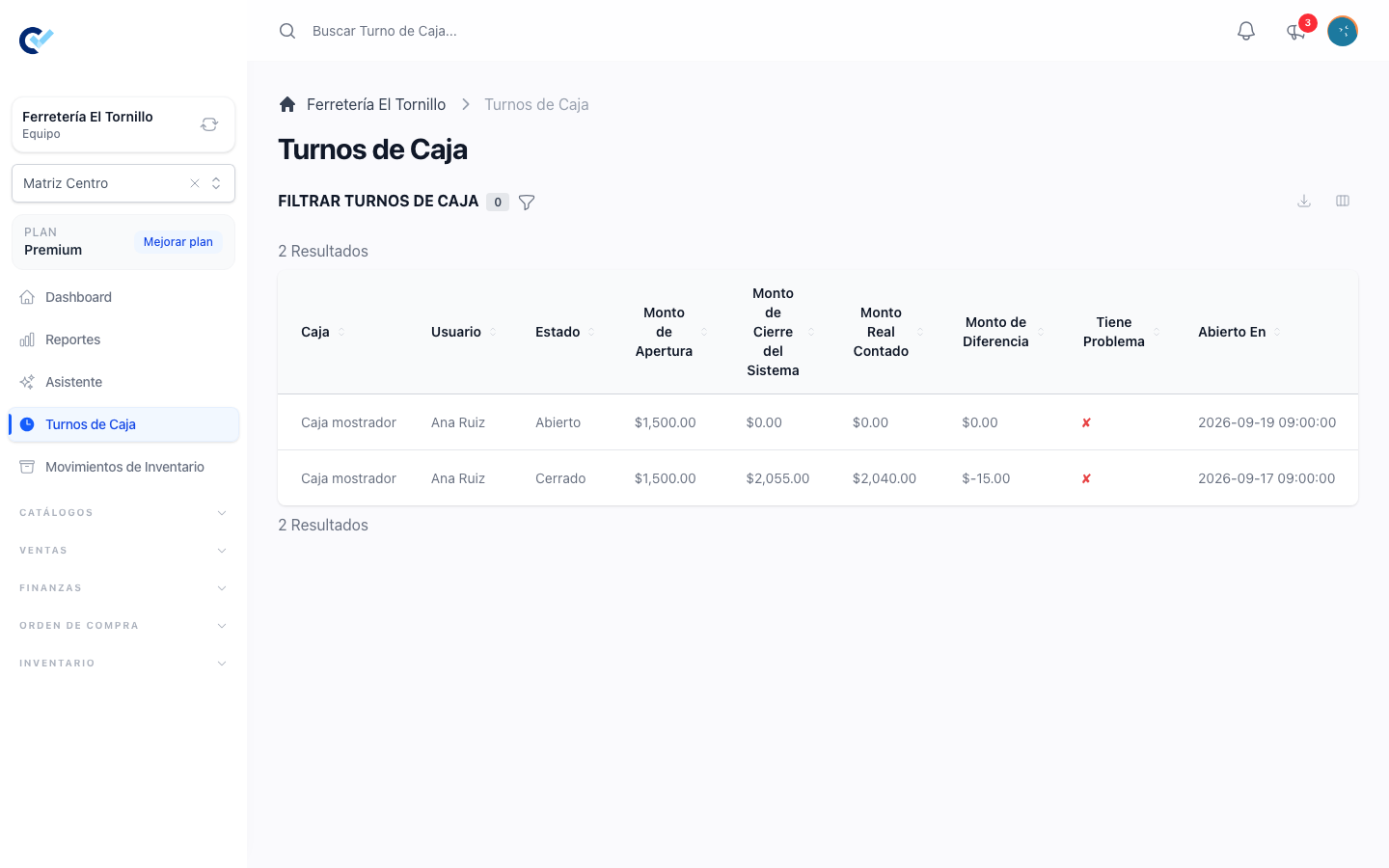
Closed shifts are kept under Cashier Shifts in the menu, for anyone whose role has Cashier Shift: See ticked in Users → Roles. Inside a branch, only that branch's shifts are listed. The list can be filtered by status, by register, by the person who ran it, by whether it had a difference, and by the dates it was opened between.
Each shift's detail shows its opening amount, its system closing amount, the real amount counted, the difference, whether it was flagged, the notes written at closing, and the same sales and expenses tabs the status screen shows. Shifts are recorded, not edited: they are not created, changed or deleted from this list.