

Document terms and conditions
How to write the terms your documents carry, how one reaches a quotation on its own, how a client accepts one from the link you send, and what a required term blocks.
Terms and conditions are the fine print your quotations and sell orders carry: a warranty, a delivery window, a returns policy, a link to a policy on your website. You write each one once, say when it applies, and every document that meets the condition carries it — on screen, on the PDF and on the page the client opens.
Terms and conditions are a module. Activate Términos y Condiciones from your team's add-ons and what follows appears; while it is off, none of it does.
Writing a term
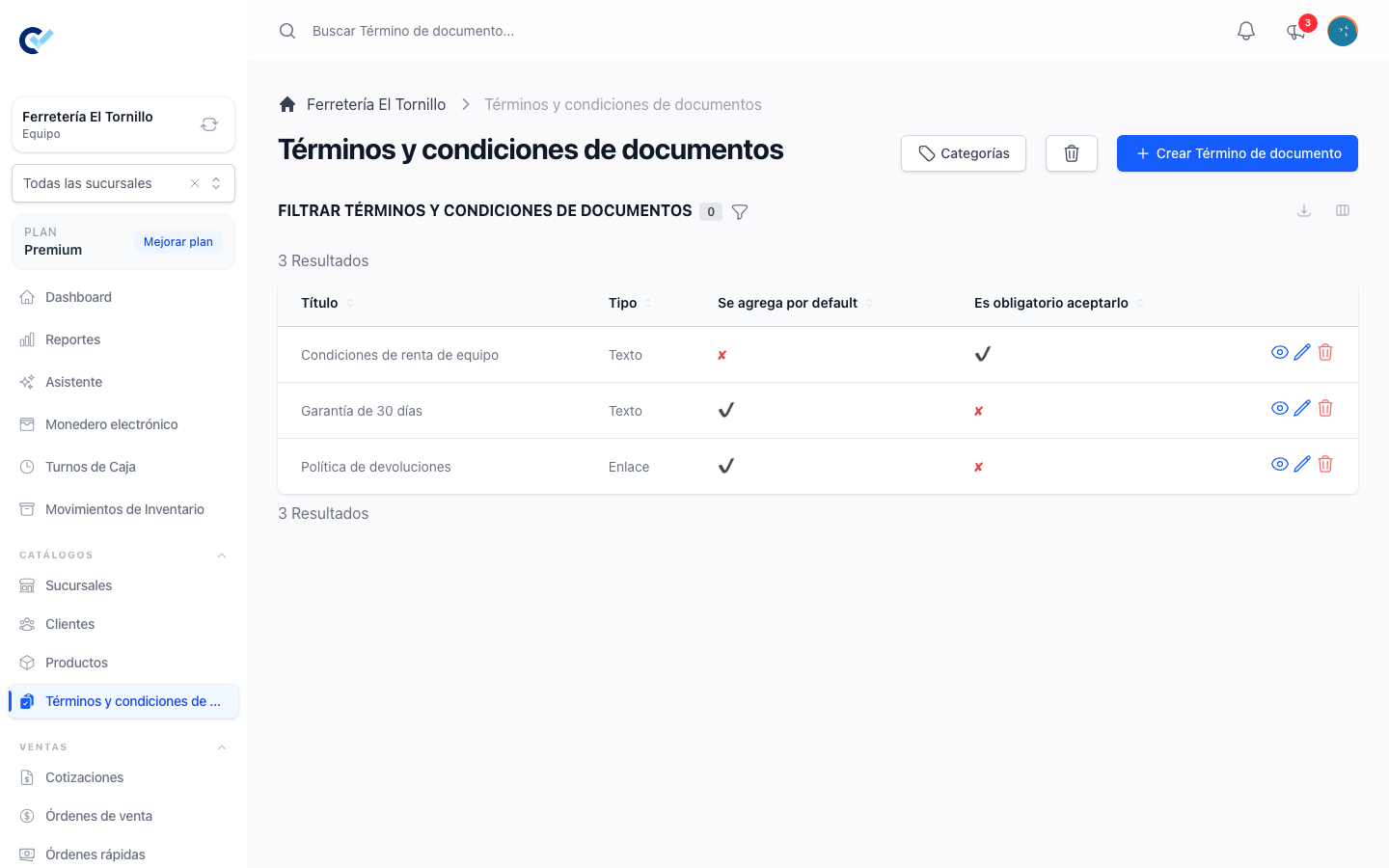
They live under Catalogs in the menu, as Document terms and conditions.
| Field | |
|---|---|
| Title | Required. What the document prints as the heading of that term. |
| Category | Optional. Groups them wherever they are read or picked. |
| Type | Link or Text. |
| Address | Required for a link term: where it points. |
| Content | Required for a text term: the text itself, written in the editor. |
| Added by default | Puts it on every document, without anyone choosing it. |
| Acceptance is required | Explained below. |
The two types are read differently. A link term opens its own address, which is right for a policy that already lives on your website and is kept up to date there. A text term has no address of its own, so the document that carries it is where it is read.
A term is refused unless it has what its type promises: a link with no address, or a text with nothing written in it, is a heading that leads nowhere.
How a term reaches a document
You almost never put terms on a document by hand. Two rules bring them:
- Added by default — the term is on every quotation and every sell order.
- The products — a term can be attached to a product, from the product's own screen, and it reaches every document that has that product on a line. Variants follow their product.
On top of the rules, the capture screen lets you add a term to this one document or take an automatic one away from it. Only the exceptions are stored, which has a consequence worth knowing: a term you added by hand and that later becomes Added by default stops being an exception, and a term you took away stays away.
Because it is worked out on every read, the terms on a document are always the ones your catalogue says today, not the ones it said when the document was written.
What the document shows
A term that applies to everything says so. A term that arrived through a product is numbered instead, and the product lines that brought it carry the same number — a printed sheet has no room to repeat which products each term covers, so it points.
The client sees the same list on the page you send them, and a text term is read there. See send documents to your customer.
Acceptance
The acceptance belongs to this module. A business that does not have it turned on shows its client the quotation and the PDF, but never a button to accept it — so a quotation accepted from the link is always a business that chose to ask for it. A quotation that was accepted before the module was turned off keeps showing the date it was accepted on: that is a record of what happened, not something still being asked.
Acceptance is required turns a term into something the client has to agree to, and the agreement is given on the quotation — not on the sell order.
When the client opens the link to their quotation, the terms are listed with a box each and accepting the quotation means accepting them. Leaving a required one unticked stops the whole acceptance and names the term that is missing. Terms that were already accepted are not asked again.
What is stored is the evidence: the term, the moment it was accepted, and the address and browser it was accepted from.
A quotation that was already accepted, and that later gains a new required term, asks only for the new one. The original acceptance is not overwritten and you are not told a second time.
A sell order shows the evidence of the quotation it was born from. A sale captured directly, with no quotation behind it, has no acceptance of its own — the acceptance is something a client gives on a proposal, and a sale registered at the counter never was one.
What it blocks
Create order on a quotation is not offered while a required term is still unanswered, and running it anyway is refused, naming the terms that are missing. A term the client has to accept is the condition of the sale, so the sale cannot exist before it is answered.
That is the one thing a required term stops. It does not block writing the quotation, sending it, or the client reading it.
The catalogue reads grouped
Everywhere terms are listed or picked — the catalogue, the product screen, the capture screen — they come in the same order: by the manual order their categories carry, by title inside each one, and with the terms nobody filed closing the list. Filing them into categories is what keeps the picker readable once there are more than a handful.
Permissions
The list and the file follow the ordinary See, Create, Update and Delete permissions for document terms. Attaching them to a product needs whatever editing that product needs; adding or removing one on a document needs whatever writing that document needs.