

The loyalty wallet
How a client builds up credit as a percentage of what they pay, how that credit is spent on a later sale, what happens to it on a return, and where every movement is listed.
The loyalty wallet gives a client credit for paying. A percentage of every payment they make turns into a balance held in their name, and that balance is spent as a discount on a later sale. It is store credit, or cashback, under whatever name your business gives it.
The loyalty wallet is a module. Activate Monedero Electrónico from your team's add-ons and what follows appears; while it is off, none of it does.
Turn it on
Two switches have to line up before anything accumulates.
In Settings → General Configuration:
- Electronic Wallet Available turns the accumulation on for the whole team.
- Accumulation Percentage is what a client earns, as a percentage of what they pay. It cannot be typed until the switch above is on.
On a client's file there is an Electronic Wallet Percentage of their own. Set it and it replaces the team's figure for that client, which is how a preferential customer earns more than the rest. Leave it at zero and the team's figure applies.
Turning Electronic Wallet Available off turns the whole thing off, not just the earning: the panel that spends a balance stops being offered too. Nothing is erased — the balances stay as they are and come back the moment the switch is on again.
How credit is earned
Credit is written when a payment is registered against a sell order — not when the sale is captured, and not when it is invoiced. Money has to actually arrive.
What lands in the wallet is the percentage of what was paid, rounded to two decimals, credited to the client the payment belongs to. A payment split across several methods is one payment: it earns once, on the total.
A sale to nobody in particular earns nothing. Without a client on the order there is no wallet to credit, which is worth remembering at a counter that sells to a default walk-in customer — see sell at the counter.
How credit is spent
On a sell order with a client selected who has a balance, the client line shows Available balance with the figure, and a box beside it — Apply to this sale. Ticking it:
- takes the smaller of the two, the balance or the order total, so a sale never ends up negative;
- leaves the order's own total untouched and shows what is actually to be collected under it;
- is written as a movement out of the wallet when the order is paid.
Changing the client or the products after applying it re-does the amount on its own, so a discount never survives the order it was calculated for.
The wallet is charged once per order, however the payment is split. Two payment rows on the same sale do not spend the balance twice.
What the debt sees
The wallet is subtracted by everyone who reads the order: the amount to collect on screen, the total on the printed document, and what the client owes. It is never written into the order's own total, which stays the gross amount of what was sold.
That matters when you are reading a statement. The account statement deliberately leaves the wallet out — neither the balance nor its movements appear on it. The statement is what you collect with, and it shows what is owed after the wallet was applied, not the wallet itself.
Returns and discounts
Taking products back or forgiving part of a sale that had the wallet applied gives the credit back. The adjustment writes a movement into the wallet for the part it is returning, tagged with the adjustment that caused it, so the client is not left having spent credit on goods they handed back. The whole of it is in returns and post-sale discounts.
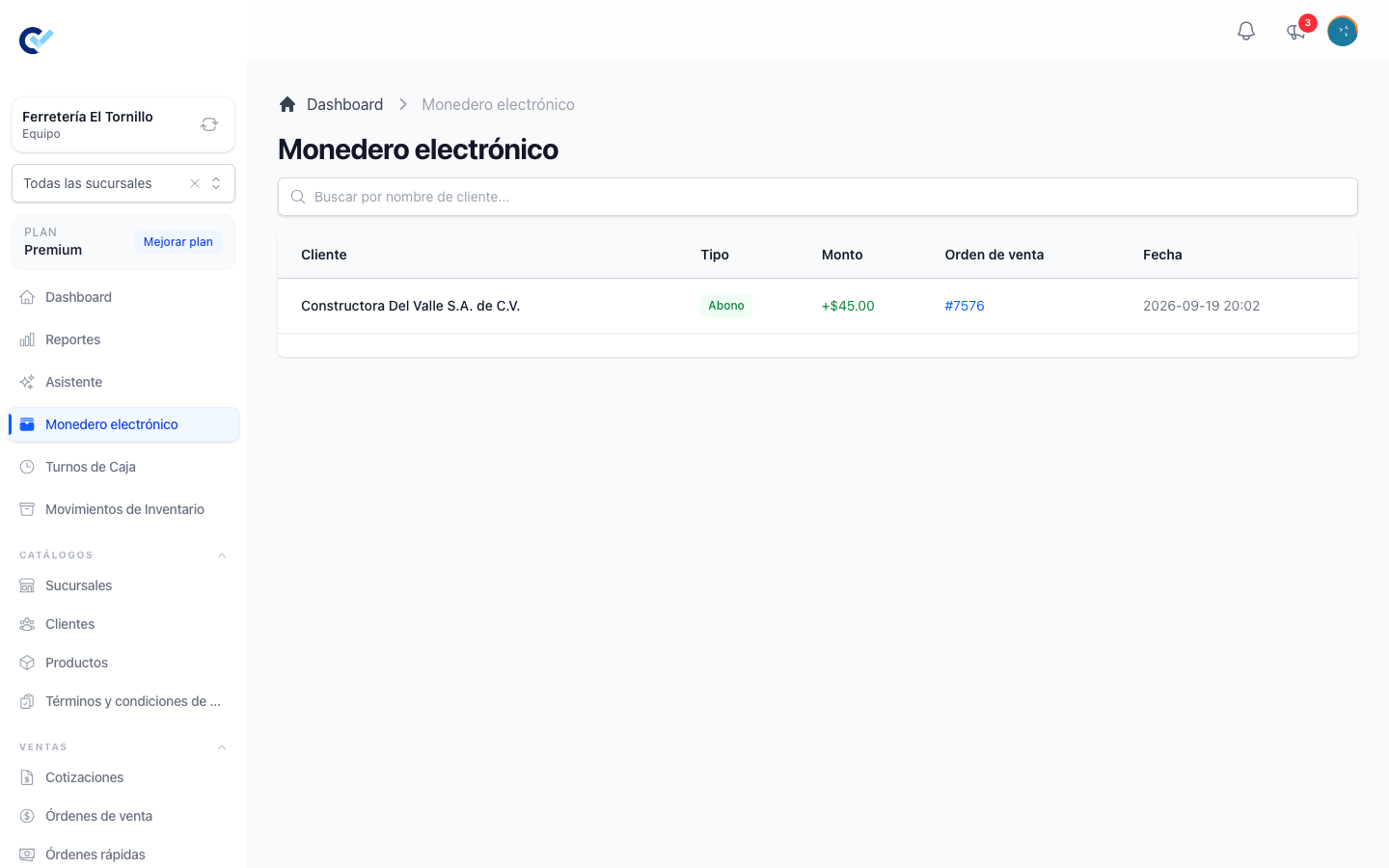
The list
Electronic Wallet in the menu lists every movement of the team, newest first: the client, the sell order it belongs to when it has one, and the amount. A positive amount is credit earned; a negative one is credit spent or charged. The search box matches the client's name and the movement's number.
A client's own balance is the sum of their movements, and it is shown wherever their name is picked — on the sell order, at the counter — next to what they owe, so both figures are in front of whoever is selling.
What it does not do
The wallet is credit with your business and nothing more. It does not expire, it is not transferred between clients, it is not paid out in cash, and it is not counted as a payment method: a sale settled entirely with wallet credit collected no money, and the cashier shift and the payment reports read it that way.