The answers are already in your records
Nine reports, a dashboard that counts the day and an assistant you can talk to. Nothing to capture for them: they read the sales, the purchases and the payments you already have.

Open the day and see where it stands
Sales, quotations, payments and how much of your plan you have used, on the first screen. Inside a branch, the counters are that branch’s.
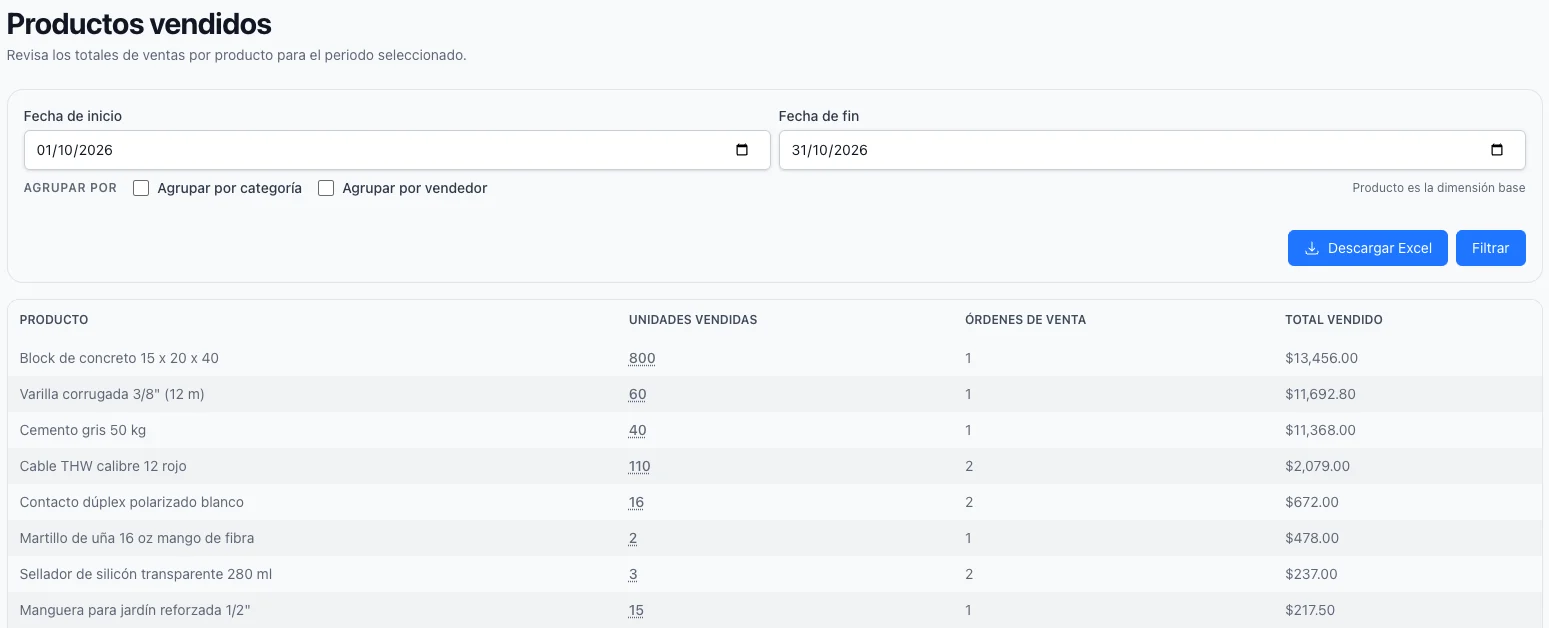
Know what actually sells
Units, orders and totals by product over the period you choose, and broken down further by category or by salesperson when you want to know why.
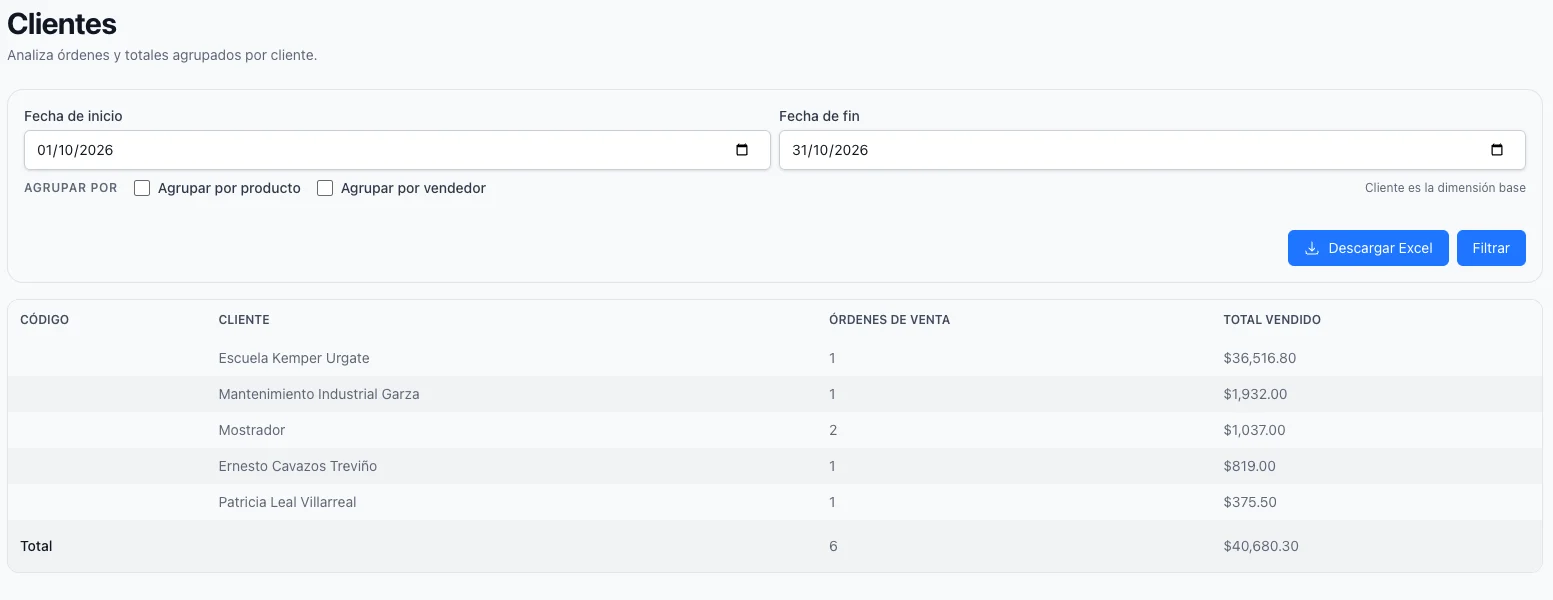
Know who buys
Which clients bought, how many orders each one placed and how much they spent — opened into what each of them took, when the total is not enough.
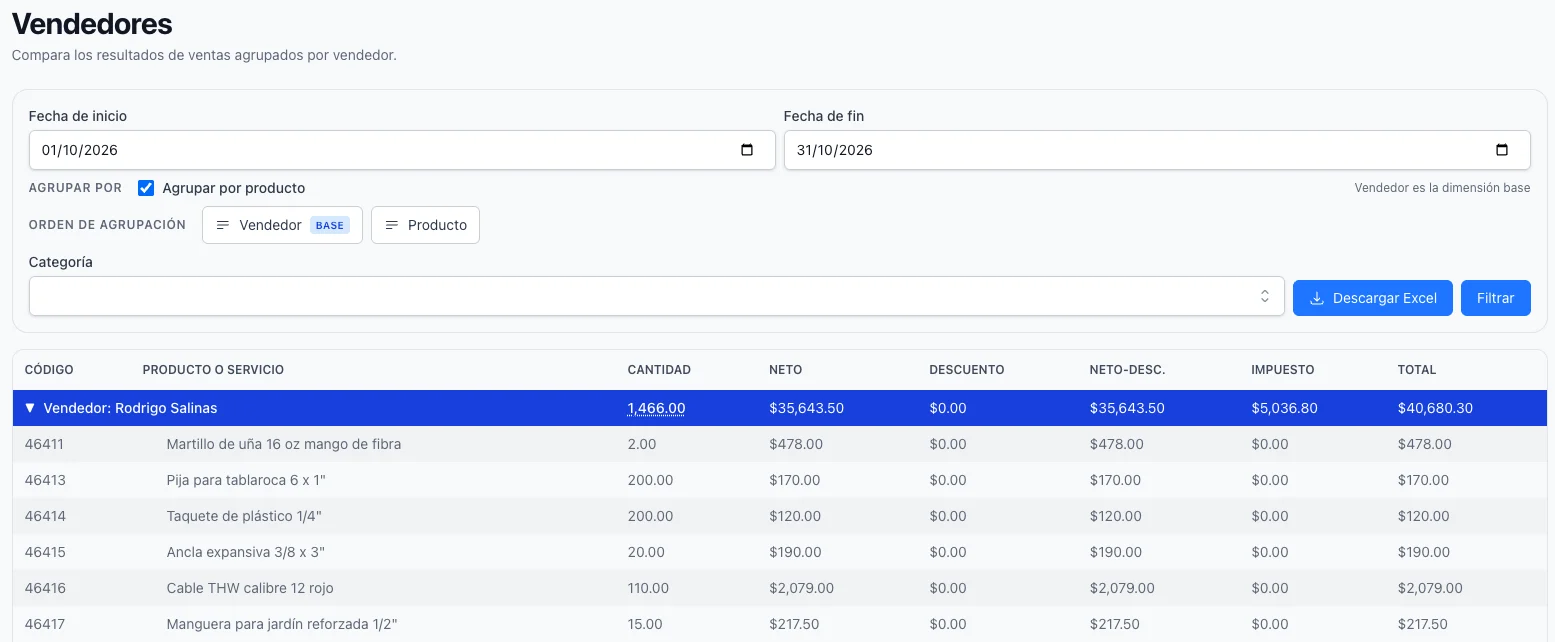
Know who sells
The same figures by whoever made the sale, so a commission or a conversation is based on the record and not on memory.
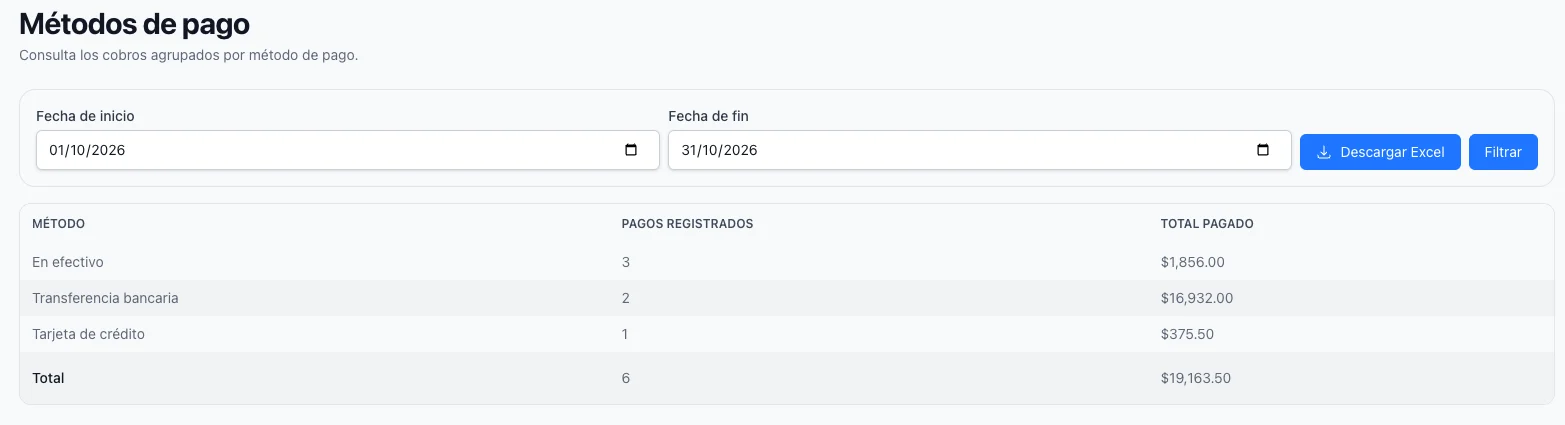
Know how you get paid
What was collected split by payment method, and what came in each day from the payments registered. Two questions that a single sales figure never answers.
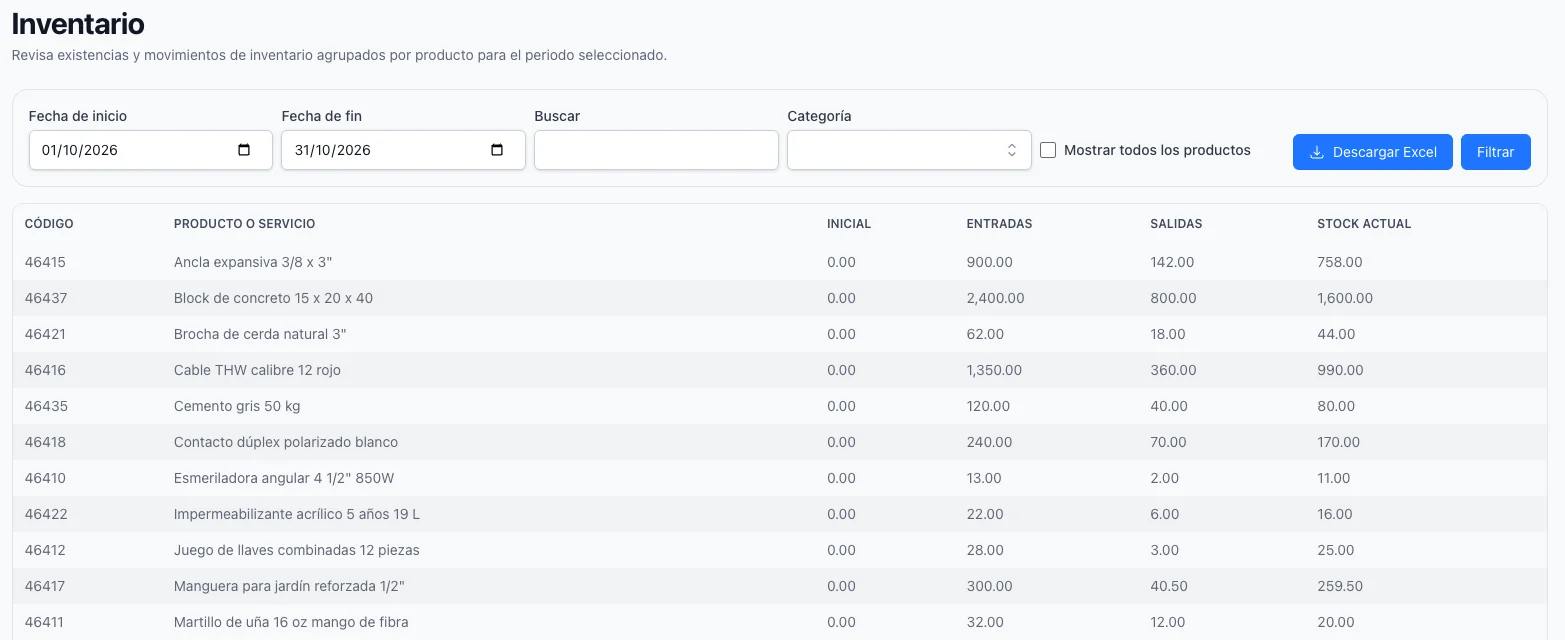
Know what you are holding
Balances and movements by product across a period, so a stocktake starts from what the system says instead of from a blank sheet.
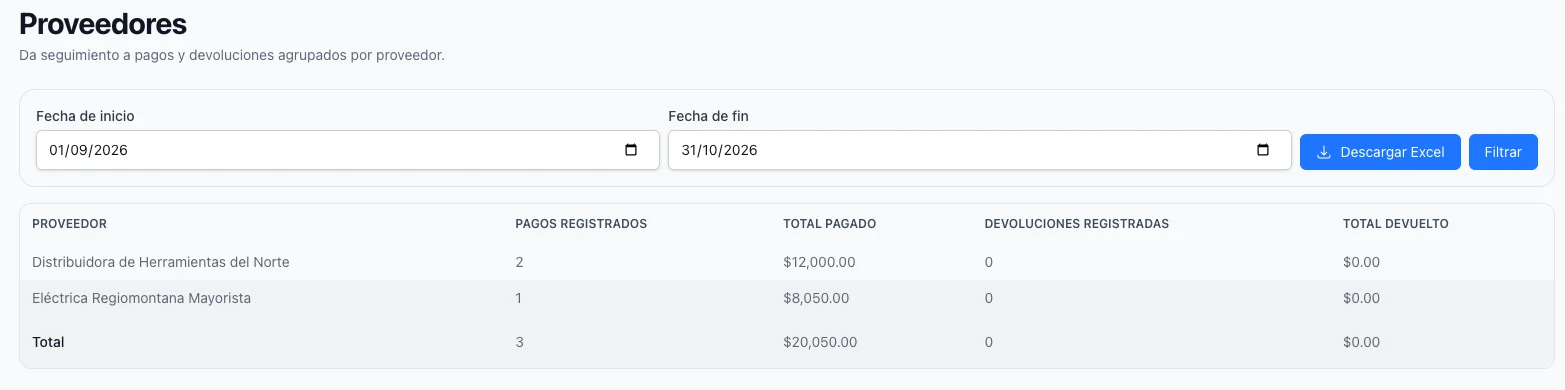
Know what you buy and from whom
Units purchased and what they cost, by item, and what was paid and refunded to each supplier. Your cost side, read the same way as your sales.
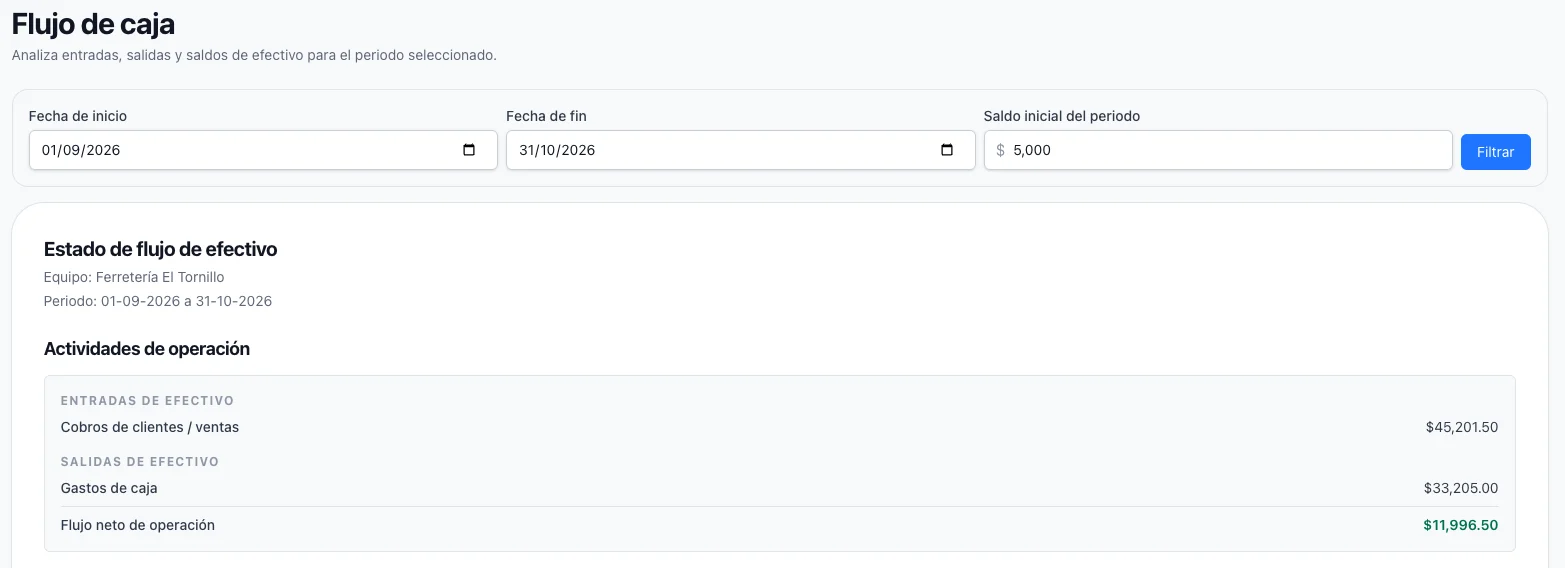
Know where the money went
Money in against money out over the period, broken down by method, with an opening and a closing balance when you tell it what you started with.
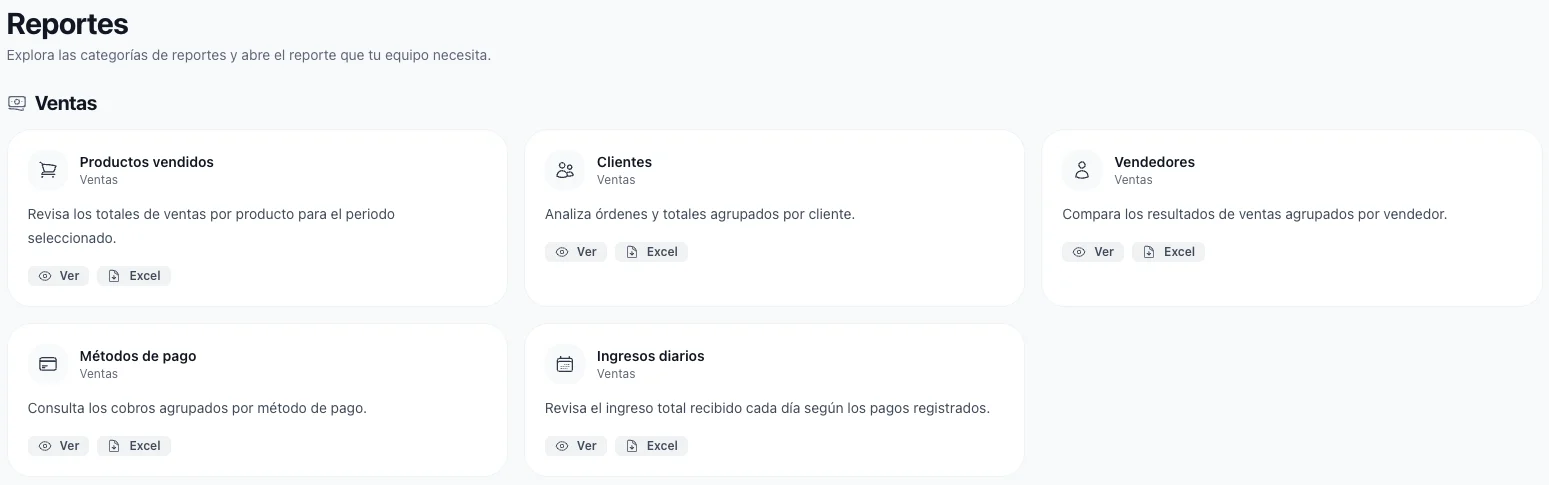
Take the numbers with you
Any of these leaves as an Excel file. It is built on the server, so a long period with a deep grouping does not tie up your browser — close the window and come back for it.
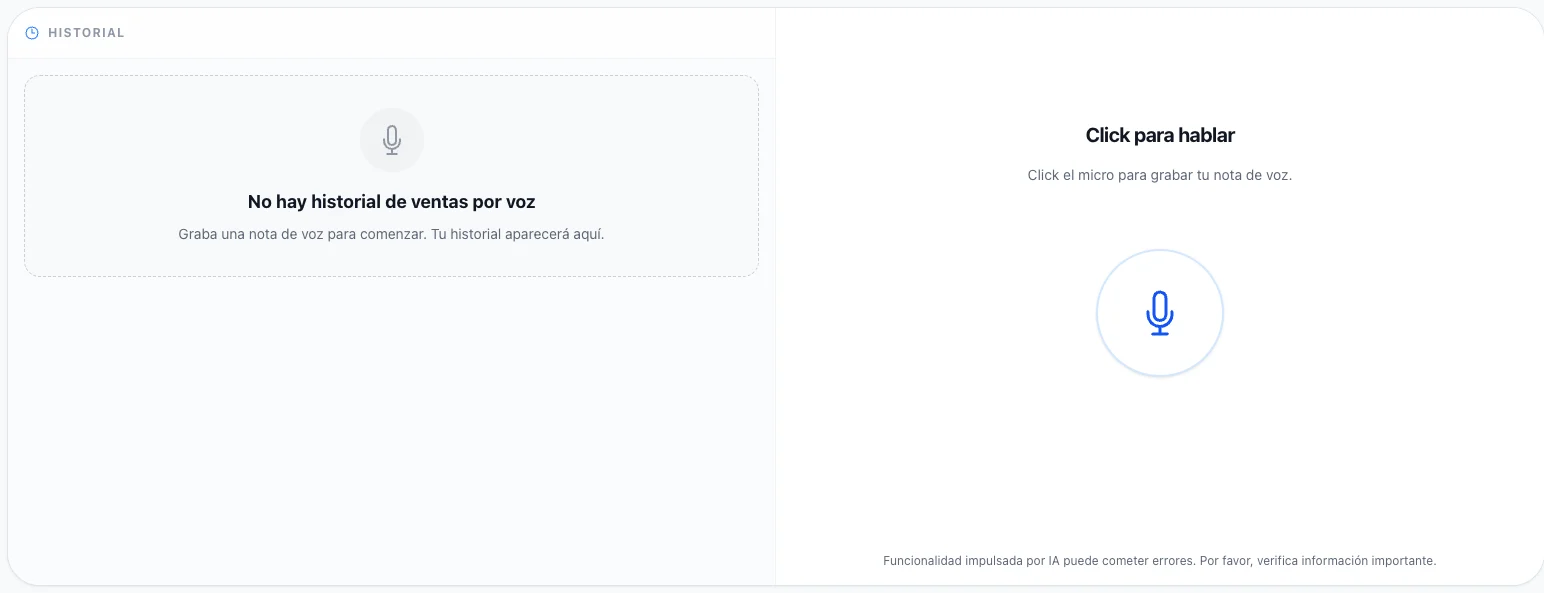
Dictate a sale instead of typing it
Say who is buying and what they are taking, and the order is written for you to check. For a warehouse floor, a phone in one hand, or a counter with a queue.
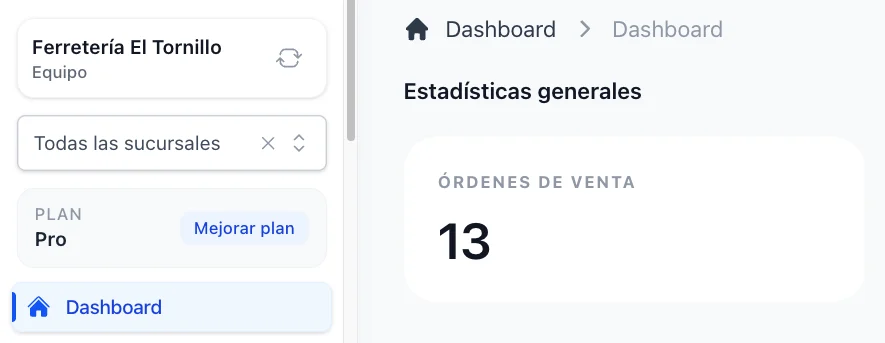
See every figure for one branch, or for all of them
One selector decides whether you are reading a single shop or the whole business. Everything else on the screen follows it.