Invoice what you already sold
The CFDI is built from the sale you registered, not typed again in another system. Stamp it, cancel it, credit it or report its payments without leaving the sale behind.
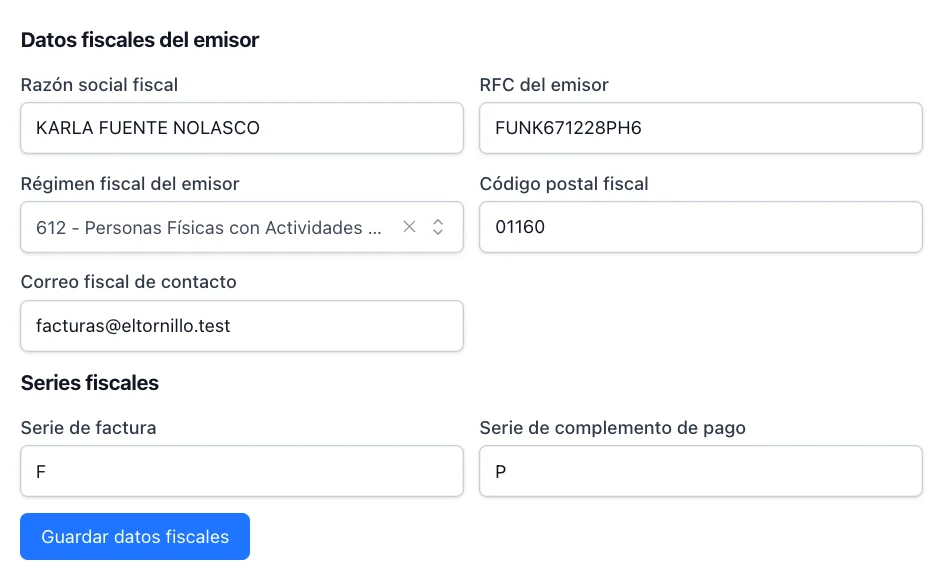
Configure the issuer once
Your fiscal name, your RFC, your tax regime, your fiscal series and your CSD. From then on, invoicing is the sale plus one button.
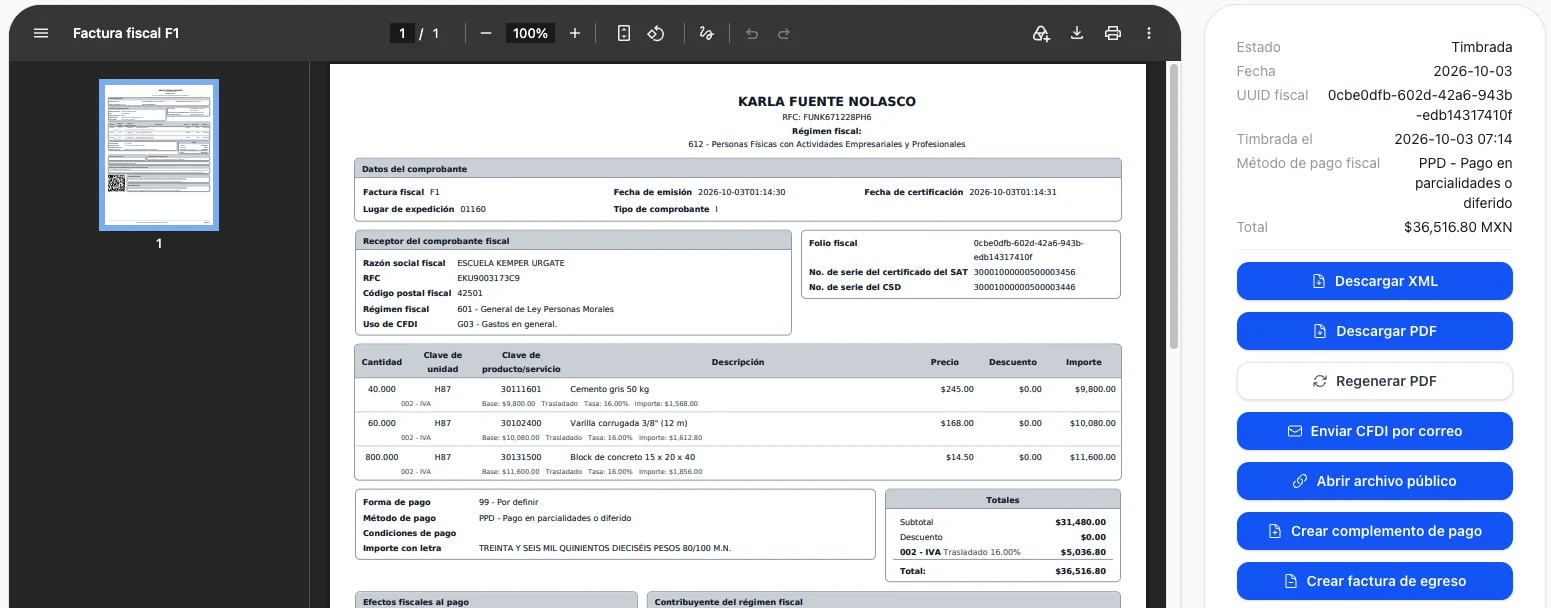
Stamp from the sale, not from scratch
The client, the lines, the taxes and the totals come from the sell order. What comes back is the UUID, the XML and the PDF, kept with the document that produced them.
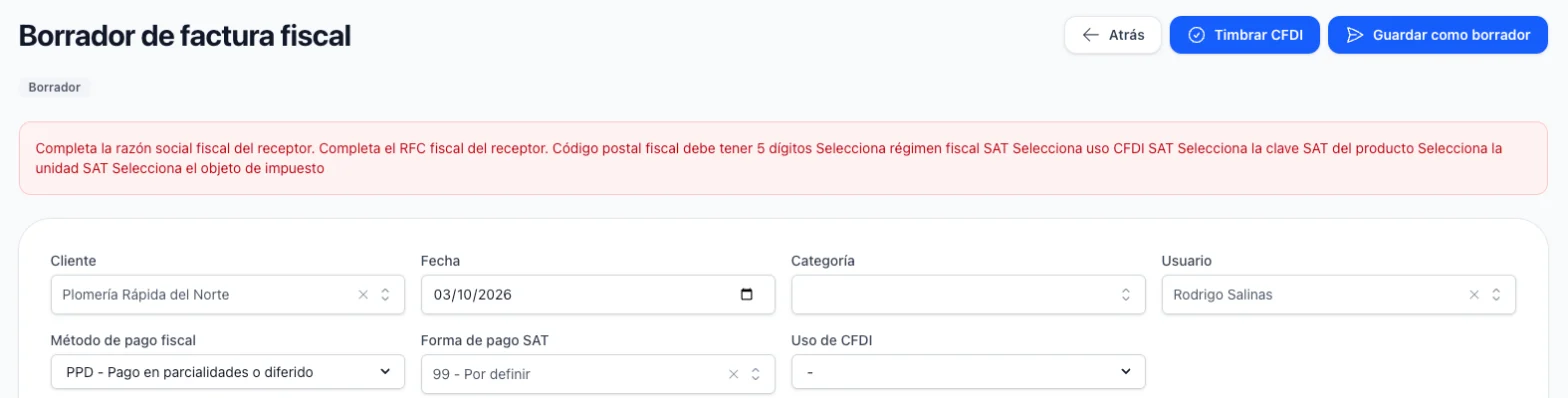
Be told what is missing before the SAT tells you
An incomplete receiver, a product without its SAT key, an issuer half configured — each one is named on screen before the stamping is attempted, not after it is rejected.
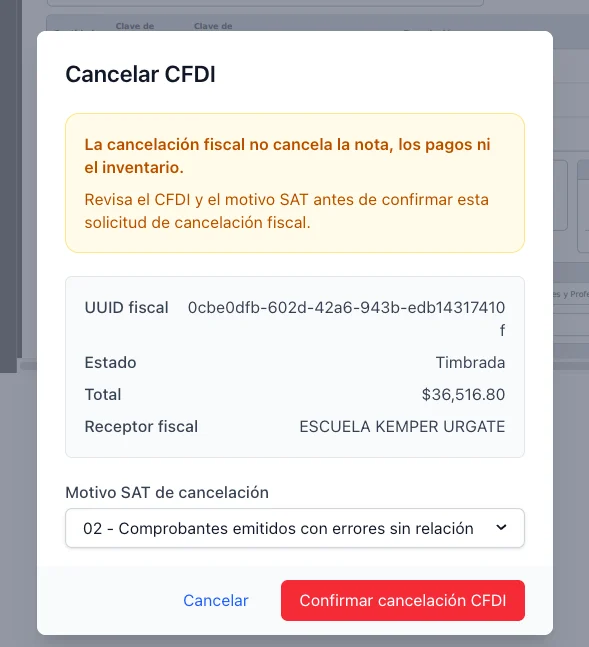
Cancel with the reason the SAT expects
The four SAT reasons, the replacement invoice when the reason demands one, and the answer from the authority read back into the document. Your sale, your payments and your stock are left alone.
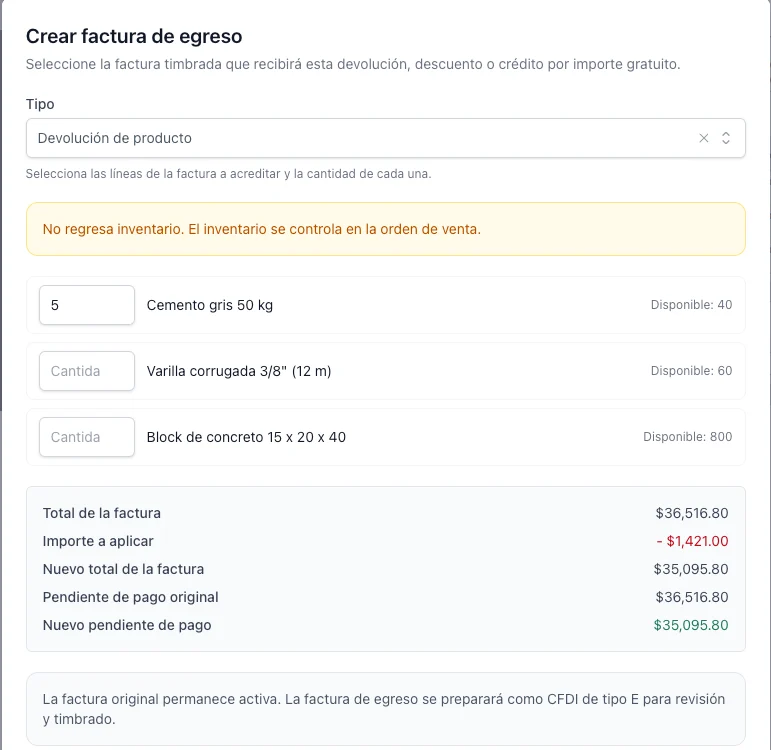
Credit part of an invoice already stamped
A return or a discount after the sale becomes an egreso invoice against the original CFDI, for the part that is actually being credited.
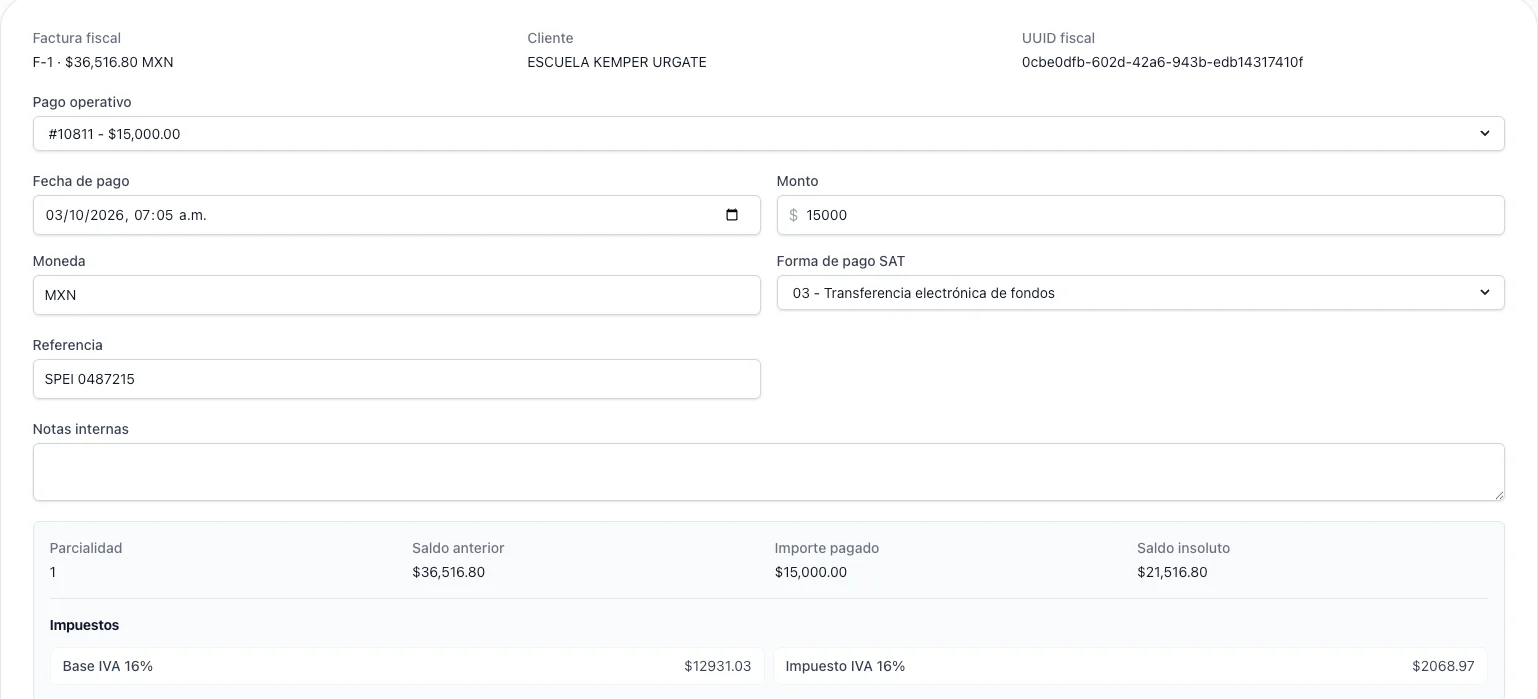
Report the payments of a deferred invoice
An invoice in parts owes a complement for every payment. The payments you already registered are the ones it offers, so nothing is captured twice.
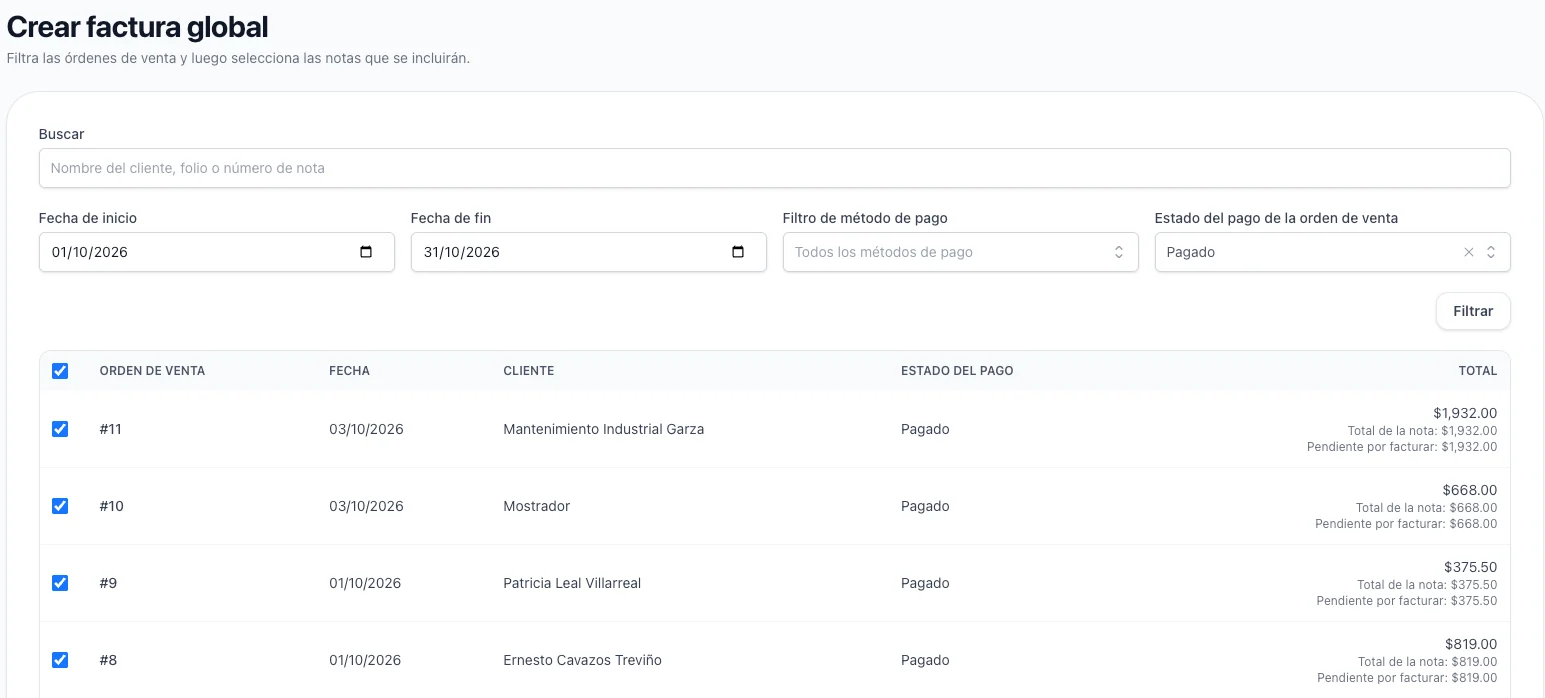
Invoice a whole period to the general public
The sales of a day, a week or a month that nobody asked an invoice for are grouped into a single CFDI. Pick the period, review what it covers, stamp once.
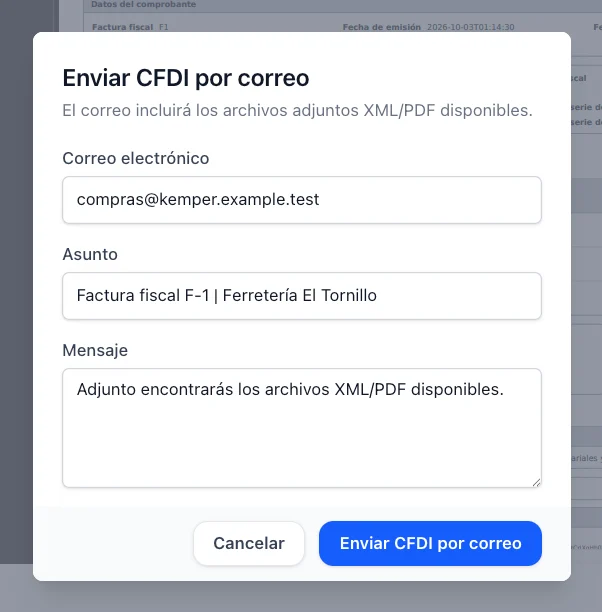
Get the CFDI to your client
Send the XML and the PDF by email, or share a link that opens the stamped document. What the client receives is what the SAT sealed.
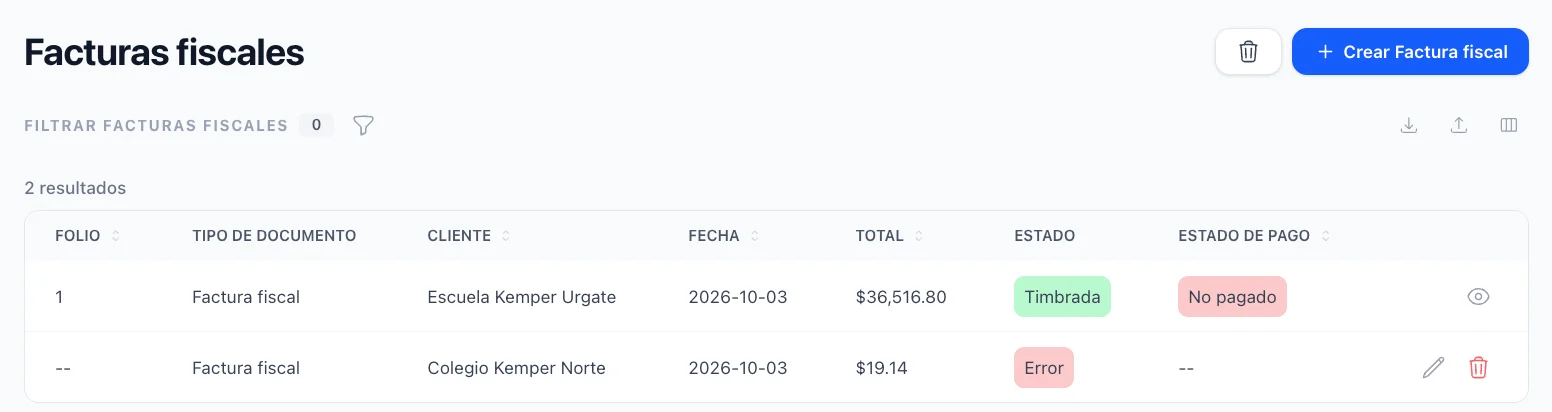
See what happened with every fiscal document
Each invoice keeps its own history: what was attempted, what the provider answered and when. A stamping that failed says why, in words, instead of leaving you guessing.