From the quote to the money in the drawer
Everything a sale goes through lives in one place: the proposal, the order, the payment, what is still owed and what came back. Nothing is captured twice.
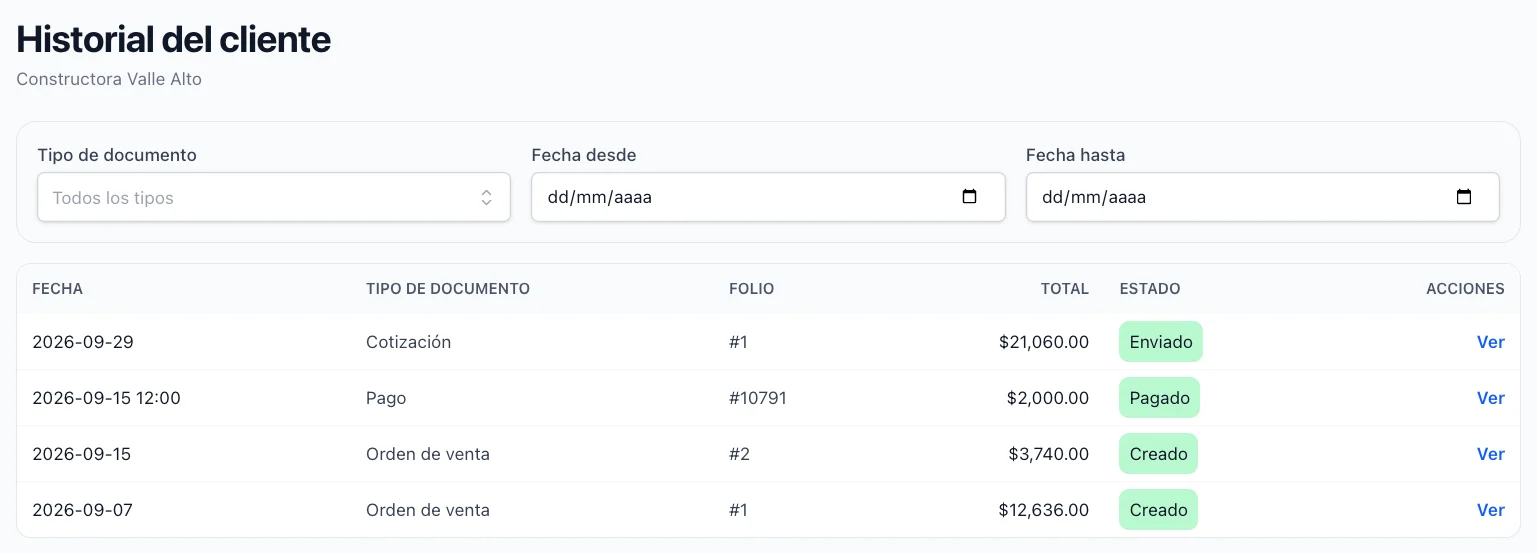
Keep a real file on every customer
Their details, their tax data, what they owe you and what they have in their wallet, on one page. Open the history and every quotation, sale, payment and invoice of that client is in a single table.
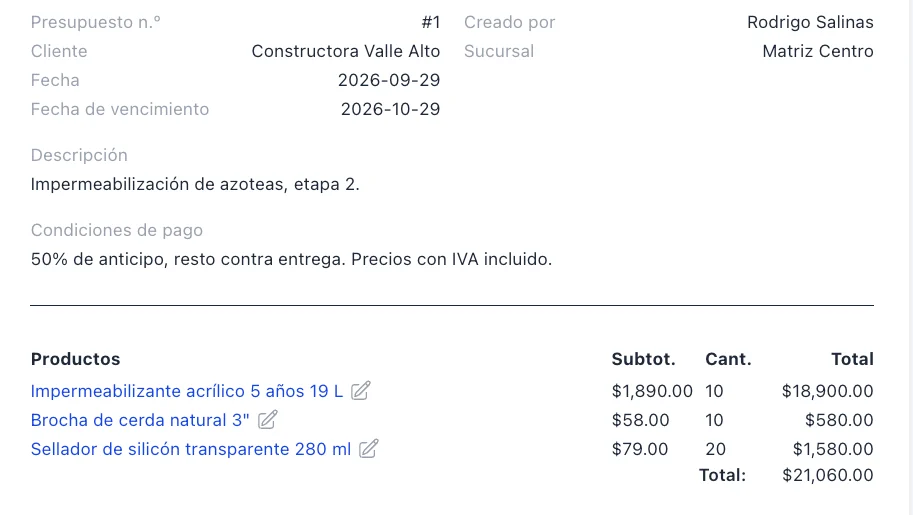
Send a priced proposal in minutes
Pick the client, add the products, set the discounts. When the client accepts it, it becomes a sell order without retyping a line.
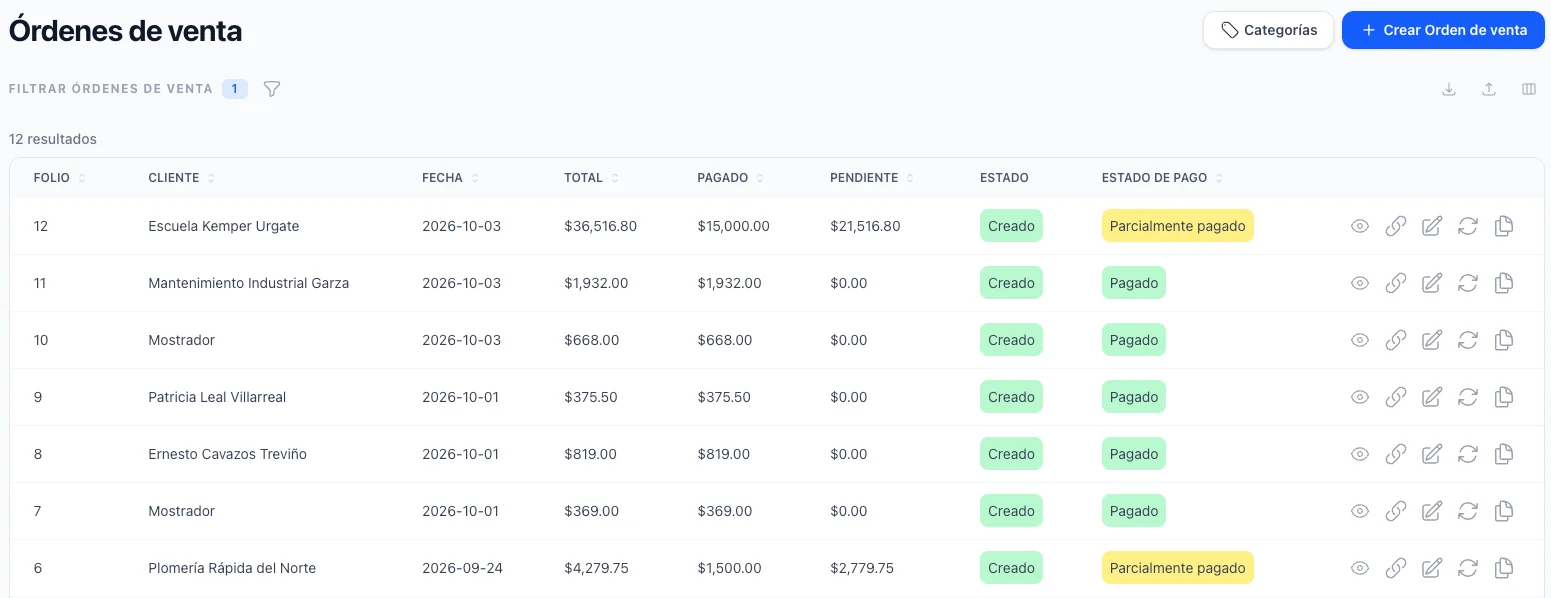
Register the sale the way it actually happened
Paid in full, partly paid or on credit — you say which, and the order carries its payment status from then on. Finish it and the stock moves, the debt is counted and the document is ready to send.
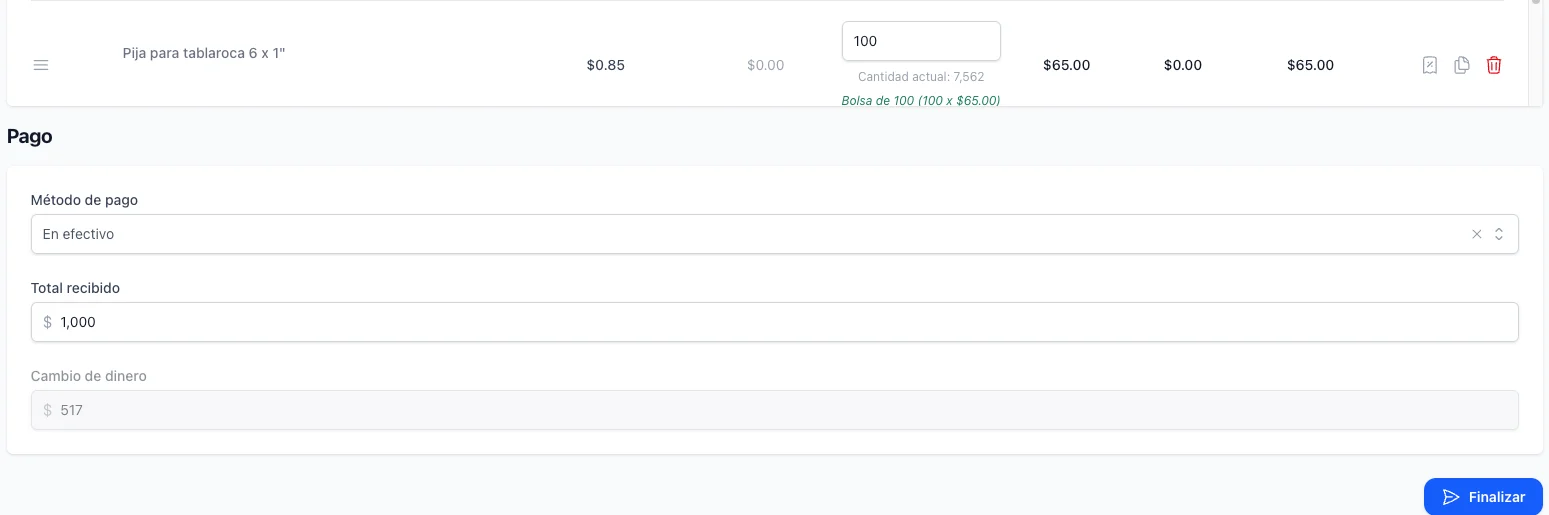
Sell at the counter in one screen
Scan, collect, print, next customer. No form to fill in first, a default walk-in client already selected, and only one open sale per person so nothing is lost or duplicated.
Take the money however it arrives
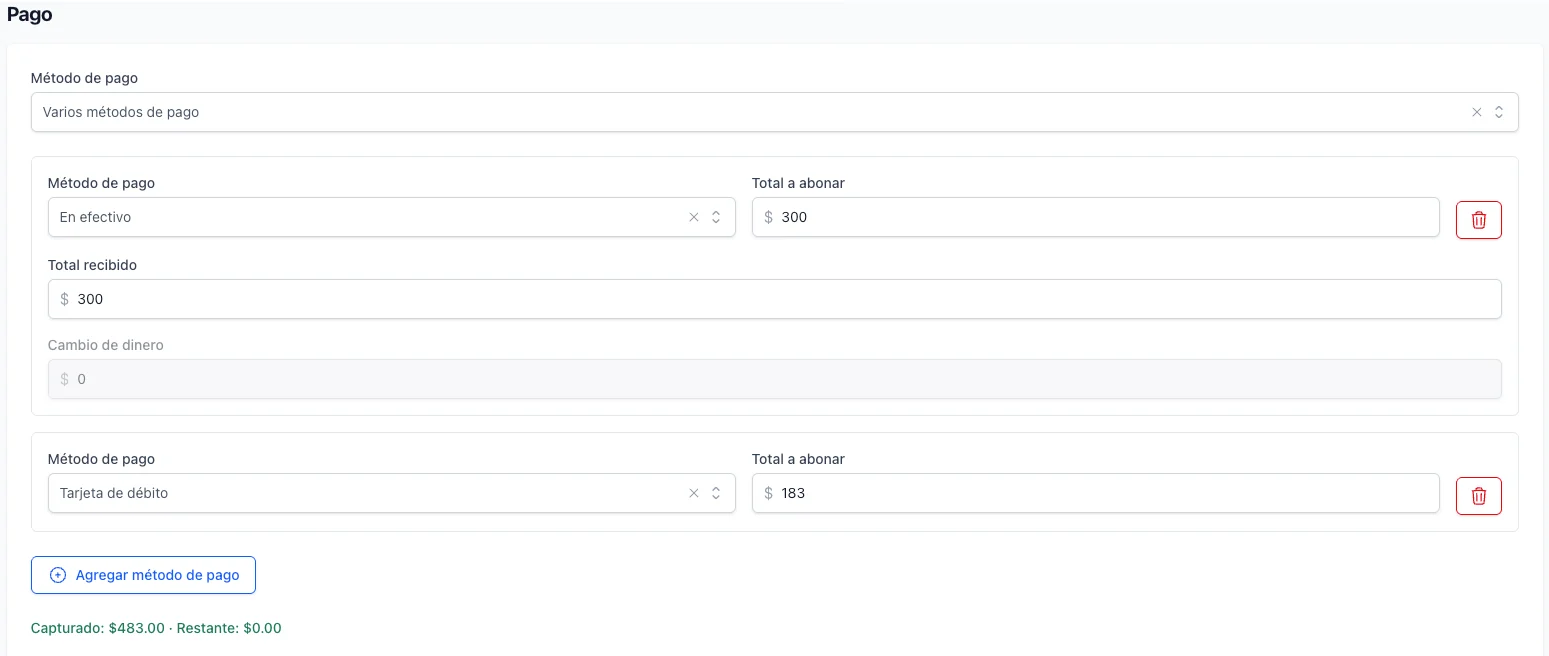
Cash, card, transfer or the methods you name yourself, and several of them on the same sale when the customer splits it. The change is worked out for you.
Know what every client owes, without hunting
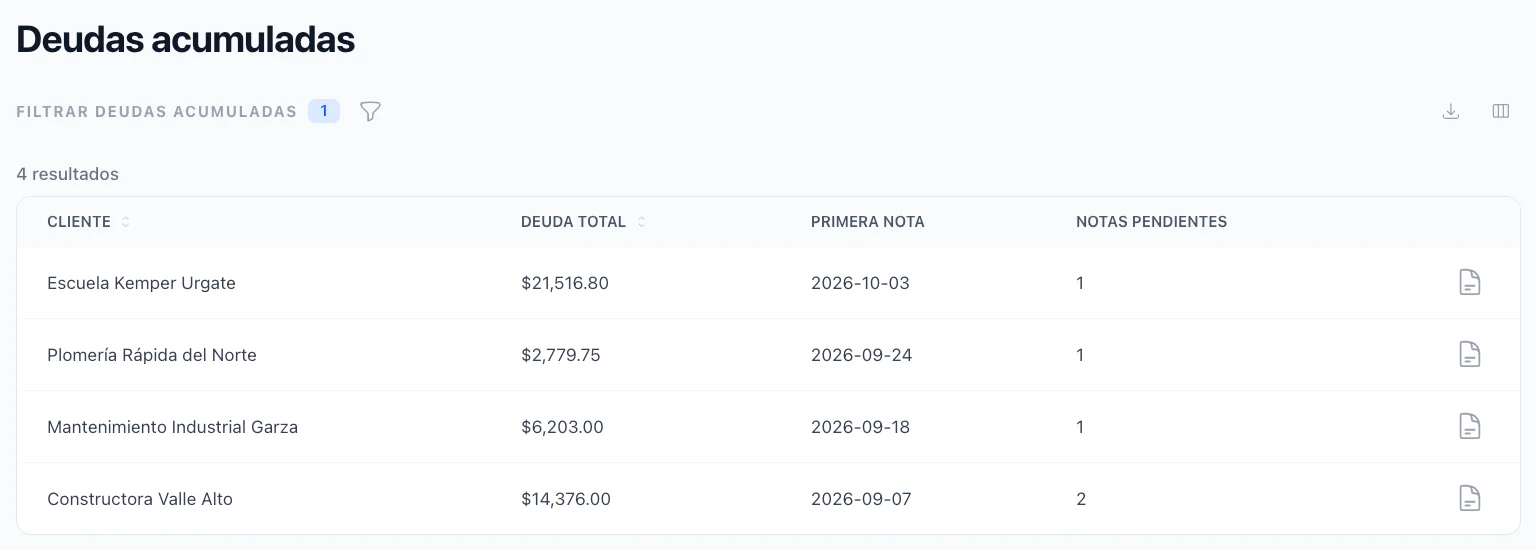
One list with everyone who owes you, how much and since when. Open a client and their account statement is the document you collect with.
Collect without opening the orders one by one
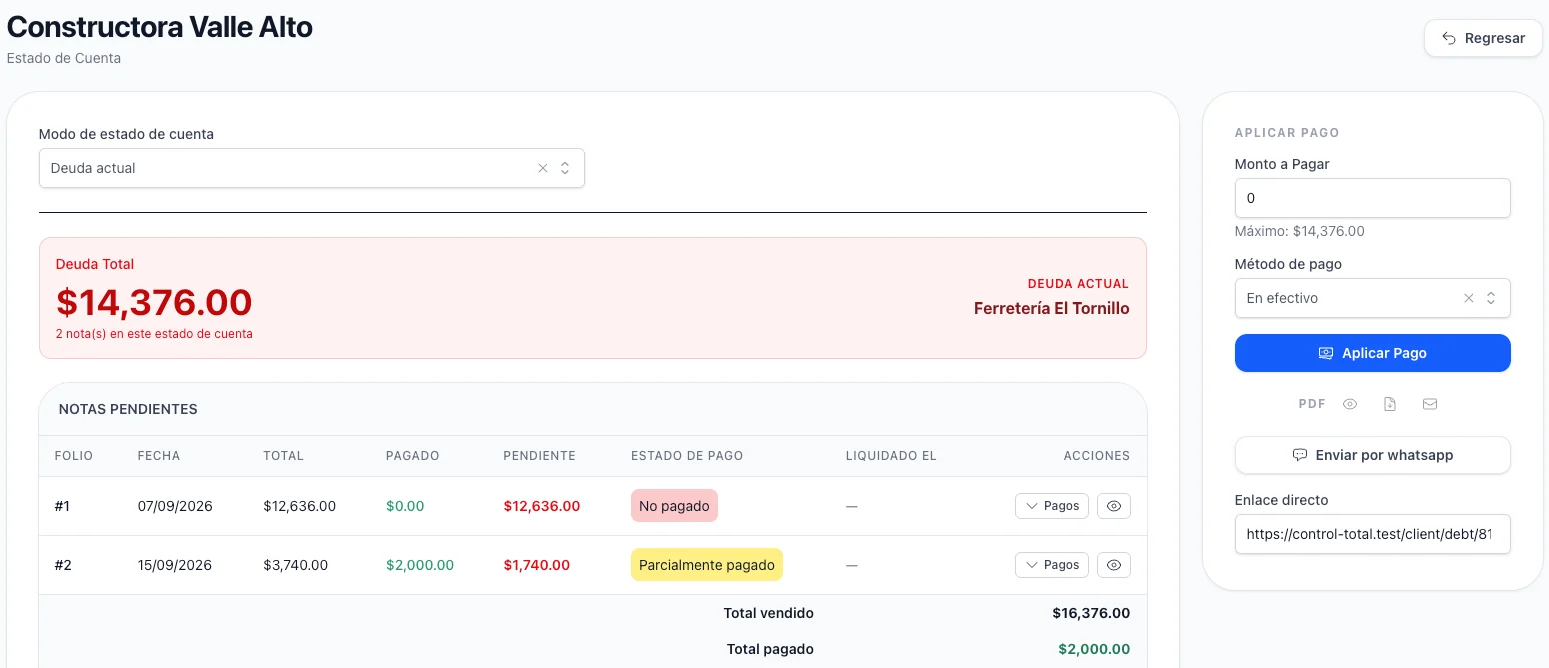
Apply one payment on the statement and it spreads from the oldest note to the newest. Send the statement by WhatsApp, by email or on paper from the same screen.
Close the drawer against what was really counted
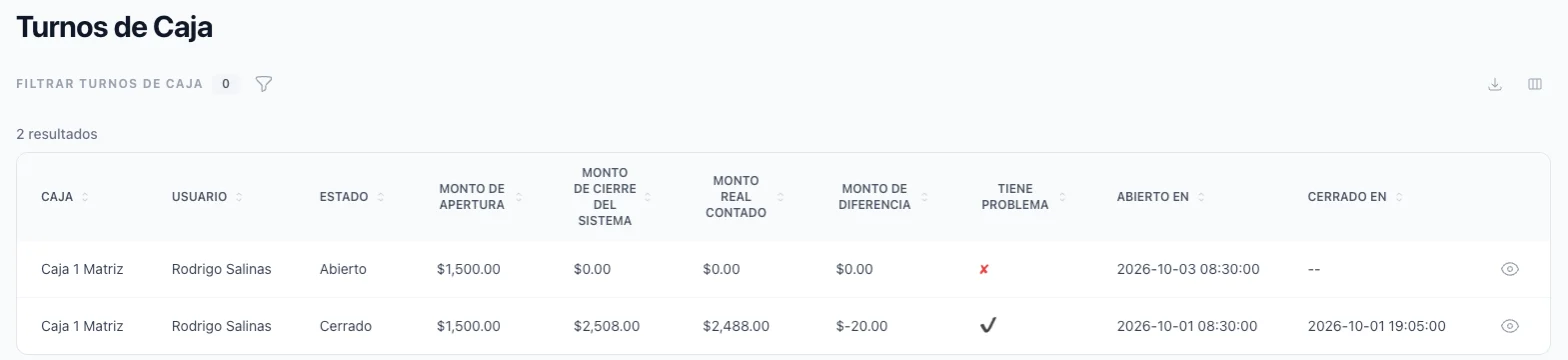
A shift records what the register started with, what was sold, what was paid out of it and what was counted at the end. A difference has a name, a register and a person attached to it.
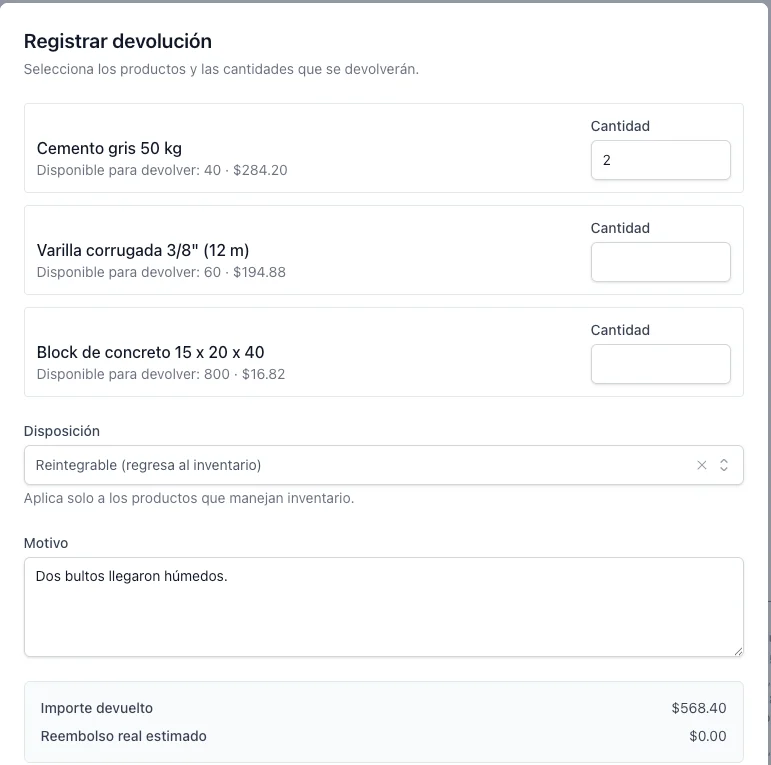
Fix a sale after it was finished
Take products back or forgive part of the amount. The stock, the debt, the wallet and the money you return all follow, and the original sale is never rewritten.

Book what you rent or lend
Reserve a product for a client between two dates, and the days become the quantity on the sale. A month calendar answers whether it is free before you promise it.
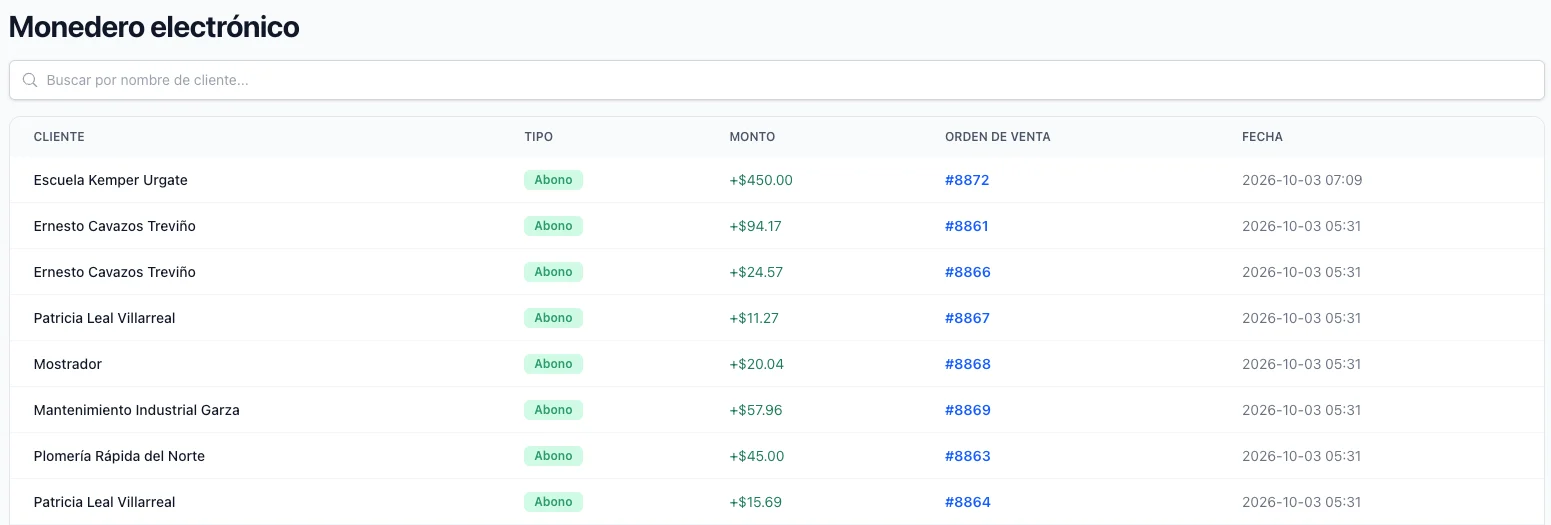
Give credit back for buying
A percentage of what a client pays turns into balance in their name, and that balance is spent as a discount on a later sale. The percentage can be theirs alone.
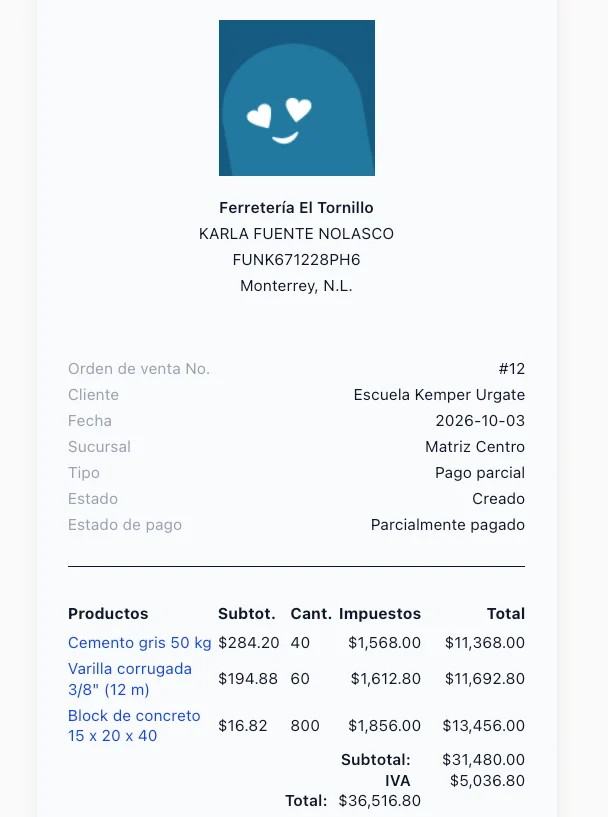
Let the customer open what you send
Every finished document has a page of its own. Send the link by WhatsApp or by email, or print it — and the client reads it without an account and without installing anything.
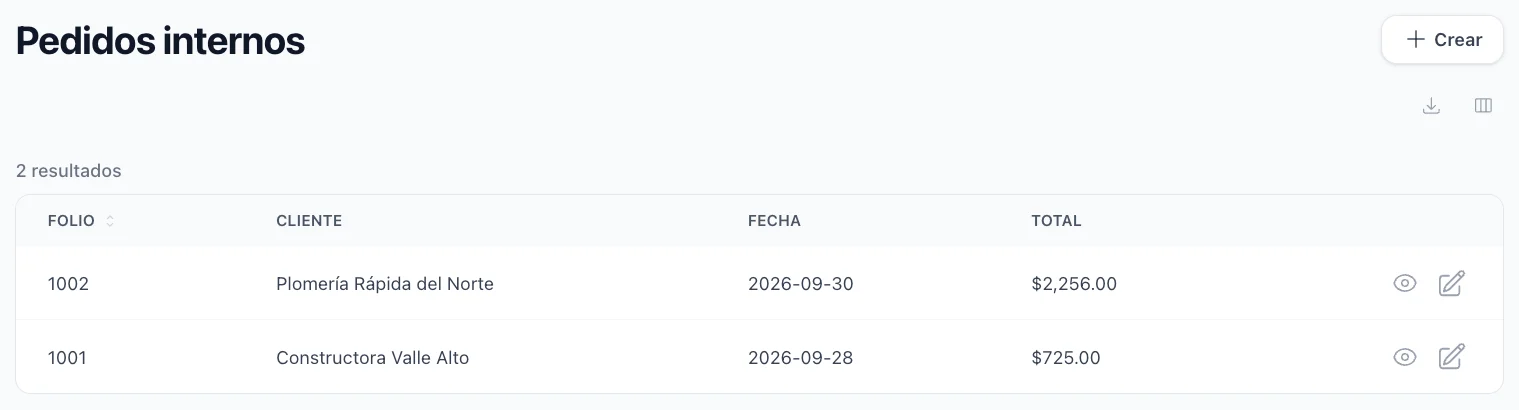
Write the paperwork that is not a sale
A delivery note, a material request, a service order: captured on the same screen, filed under your own numbering, and kept out of your sales figures.
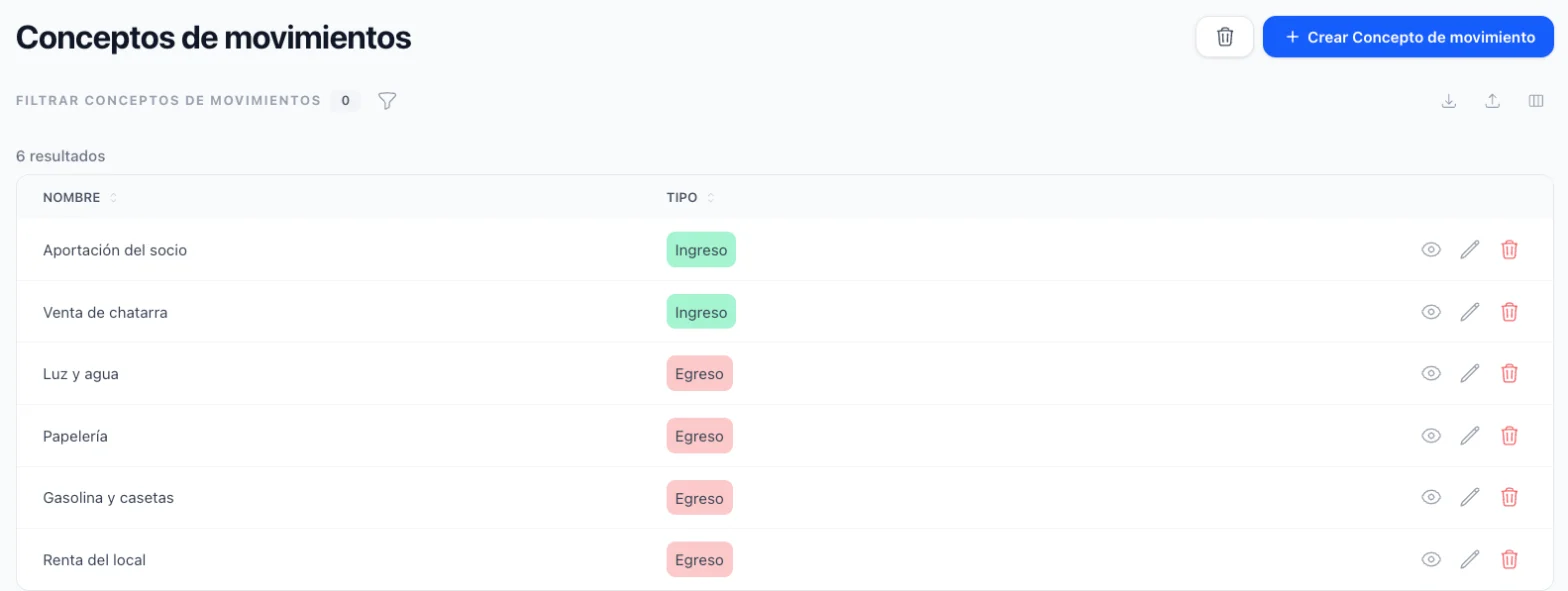
Record the money that is not a sale
The rent, the fuel, the scrap you sold, the cash a partner put in: pick a concept from your own list and the movement already knows whether it is an income or an expense. Each one prints its receipt, and the reports add them up by concept.
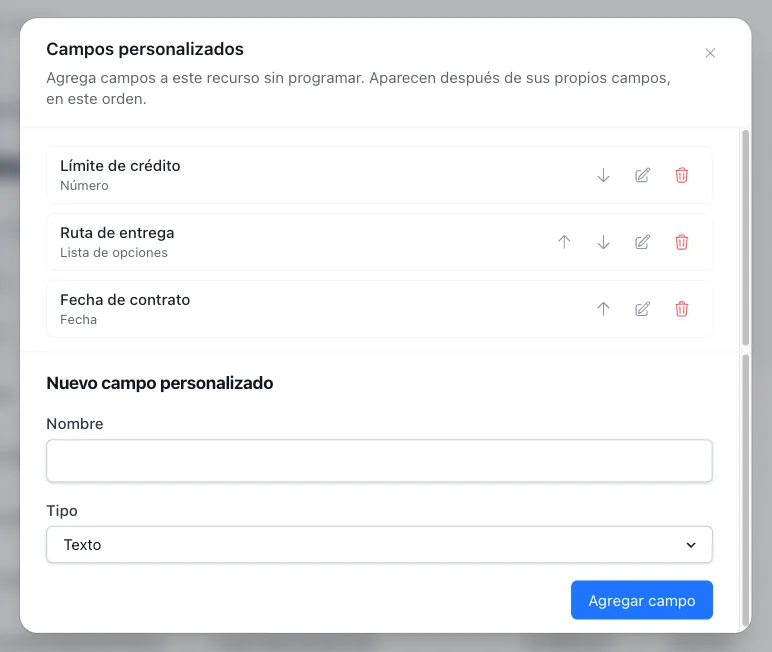
Keep the details only your business asks for
Add your own fields to the client file — a text, a number, a date, an option from a list, an image or a file — without code. They appear in every client’s form, can be shown as columns on the list and travel in the Excel export.